Skip to content

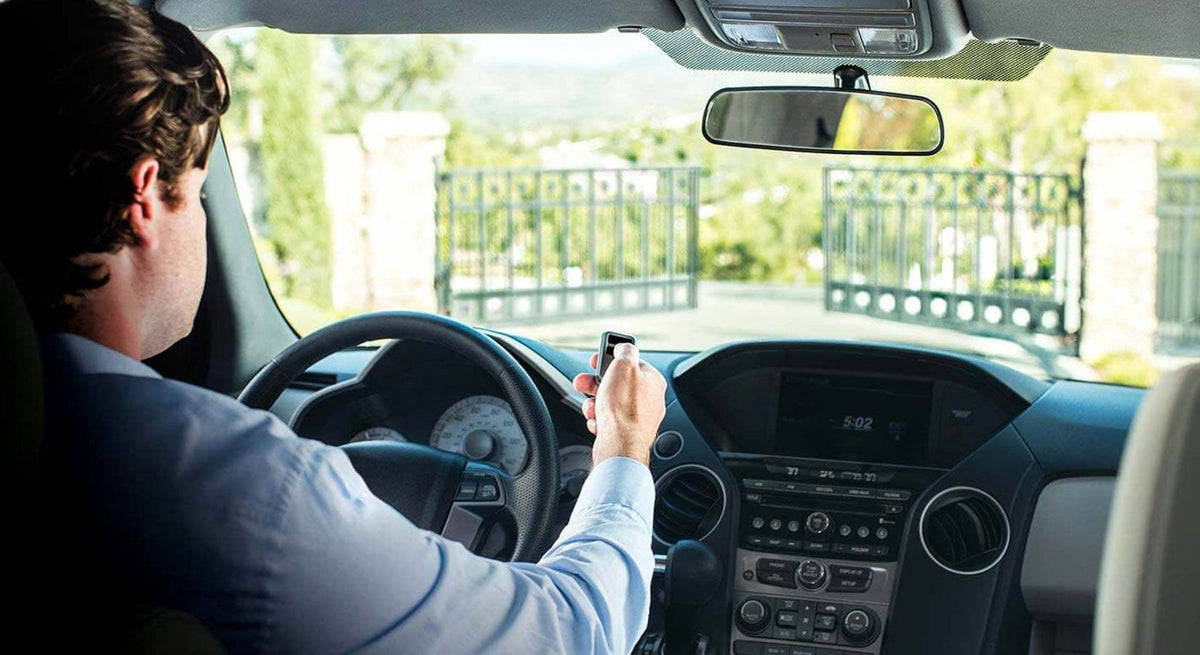
Need a new remote for your automatic gate?
Finding one that looks similar to your old remote isn’t enough.
Automatic gate remotes and receivers can use different frequencies, radio technologies, coding methods, and programming procedures. Two transmitters from the same manufacturer—or even two that look nearly identical—may not necessarily work with the same receiver.
That’s why the best place to start isn’t the remote.
It’s the receiver.
Whether you’re replacing a lost gate remote, adding transmitters for new users, or upgrading an older gate operator, this guide explains how gate remotes and receivers work and what to check before ordering.
You can also explore the complete selection of gate remotes and receivers available at All Security Equipment.
How Does a Gate Remote Work?
A typical remote-controlled automatic gate system has three main components:
Remote/Transmitter → Receiver → Gate Operator
When you press a button on the remote, the transmitter sends a radio signal. The receiver recognizes the signal and, if the transmitter is authorized, activates an output connected to the gate operator.
The operator then performs the function associated with that command.
This distinction matters because the gate operator itself doesn’t always determine which remote you need.
The receiver does.
Gate Remote vs. Gate Receiver: What’s the Difference?
These two products work together but perform different jobs.
Gate Remote or Transmitter
The remote is the device carried by the user.
Depending on the model, it may have:
- One button
- Two buttons
- Three or more buttons
- Visor clip
- Keychain design
- Multiple programmable functions
Pressing a button transmits a radio signal to a compatible receiver.
Browse remote controls and transmitters to explore available options.
Gate Receiver
The receiver is installed at or connected to the gate operator.
It listens for signals from compatible transmitters and provides an output to the operator when an authorized signal is received.
Depending on the model, receivers may support multiple transmitters, channels, and radio technologies.
For example, the ASE Long Range 2-Channel Universal Receiver | FAS-RC supports two channels, compatible LiftMaster and Chamberlain radio technologies through Security+ 2.0, and compatible DIP-switch remotes, including the LiftMaster 811LMX.
If the remote and receiver aren’t compatible, the gate won’t respond—even if both products are functioning correctly.
Start With the Receiver, Not the Gate Operator
One of the most common mistakes when buying a replacement remote is searching only by gate operator model.
For example:
“I have a LiftMaster gate operator, so I need a LiftMaster remote.”
That’s not always enough information.
An operator may have:
- A built-in receiver
- An external receiver
- A receiver added during installation
- A receiver upgraded years later
- A different manufacturer’s receiver connected to it
That means the radio system currently controlling the gate may not be the same system originally supplied with the operator.
Before buying a replacement remote, identify the receiver currently being used.
For more information about specific LiftMaster radio systems, see our guide: Which Remote Control Transmitter Works With My Gate or Garage Operator?
How to Identify Your Gate Receiver
Start by inspecting the gate operator and any accessories installed nearby.
An external receiver may be located inside the operator enclosure, next to the operator, or inside a separate enclosure.
Look for a label showing:
- Manufacturer
- Model number
- Frequency
- Radio technology
- Programming information
If the receiver is integrated into the operator, check the operator model and manual to determine which radio system it uses.
Take a Photo of the Label
If you’re unsure what you have, take clear photos of the gate operator label, receiver, receiver label, and existing remote.
This information can make finding a compatible replacement much easier.
Why Gate Remote Frequency Matters
Gate remotes communicate using radio frequencies.
A transmitter and receiver need to use compatible radio technology, including the appropriate operating frequency.
Depending on the system, you may encounter frequencies such as:
- 300 MHz
- 310 MHz
- 315 MHz
- 318 MHz
- 390 MHz
- 433 MHz
These are examples—not interchangeable options.
A 315 MHz transmitter doesn’t automatically work with a 390 MHz receiver.
But matching frequency alone isn’t enough either.
Two products can operate at the same frequency and still use different coding or communication technologies.
Think of frequency as one compatibility requirement, not the complete compatibility test.
Radio Technology Matters Too
Manufacturers use different technologies to control how transmitters communicate with receivers.
Depending on the system, you may encounter:
- Fixed-code systems
- DIP-switch programming
- Rolling-code systems
- Learning-code systems
- Manufacturer-specific encrypted technologies
This is why choosing a remote based only on appearance or frequency can lead to the wrong product.
You need to verify the complete compatibility information.
What Is a Fixed-Code Gate Remote?
Older access systems commonly use fixed-code technology.
The transmitter sends a predetermined code to the receiver.
Some systems use physical DIP switches inside the transmitter to establish the code.
For example, you may open an older remote and see a row of small switches.
The receiver or another compatible transmitter may have a corresponding switch configuration.
Why Are DIP Switches Important?
If you’re replacing a DIP-switch remote, the replacement needs to support the same compatible radio system and coding arrangement.
A newer remote isn’t automatically backward-compatible simply because it uses the same frequency.
One example is the LiftMaster Single Button DIP Remote Control | 811LMX.
This programmable transmitter supports several specified LiftMaster DIP radio configurations, including encrypted Security+ 2.0 DIP and certain older 315 MHz and 390 MHz DIP systems.
Always verify the exact receiver compatibility before ordering.
What Is a Rolling-Code Gate Remote?
Rolling-code systems change the transmitted code according to the radio system’s design rather than repeatedly sending the same fixed code.
These systems generally require the transmitter to be enrolled or programmed into a compatible receiver.
The exact process varies by manufacturer.
Programming methods may involve:
- Learn buttons
- Receiver menus
- Control-board programming
- Access-control software
Always follow the instructions for the exact receiver and transmitter.
Matching Frequency Does Not Guarantee Compatibility
Suppose you have:
Remote A: 315 MHz
And you find:
Remote B: 315 MHz
Does that mean Remote B will work?
Not necessarily.
They may use different coding methods, protocols, generations of radio technology, or programming procedures.
The safest approach is to confirm that the manufacturer specifically identifies the transmitter as compatible with the receiver you’re using.
Manufacturer-Specific Gate Remotes
Many gate equipment manufacturers offer their own radio controls.
Depending on your system, you may encounter remotes and receivers from brands such as:
- LiftMaster
- DoorKing
- Linear
- FAAC
- BFT
- Viking Access
- Nice
- Security Brands
Some installations also use third-party receivers independent of the gate operator manufacturer.
This is another reason the name printed on the gate operator doesn’t always tell you which remote to buy.
Explore the available options in our Remotes and Receivers collection.
Universal Gate Remotes: Are They Really Universal?
The word “universal” can be misleading.
A universal remote doesn’t necessarily work with every gate operator and receiver.
Instead, it typically supports a specified group of frequencies, brands, coding systems, and radio technologies.
Always review the compatibility list.
A better question than:
“Is this remote universal?”
is:
“Is this remote compatible with my specific receiver?”
For a closer look at these products, read our article: Universal Gate Remotes: A Guide for Your Gate’s Access Control.
Single-Button vs. Multi-Button Gate Remotes
After confirming compatibility, decide how many functions you want the transmitter to control.
Single-Button Remote
A single-button remote is ideal when the user only needs to control one entrance.
For example:
Button → Main Gate
The LiftMaster 811LMX Single Button Remote is one example of a programmable single-button transmitter for specified compatible radio systems.
Multi-Button Remote
A multi-button transmitter can control multiple compatible receivers or functions.
For example:
Button 1 → Main Gate
Button 2 → Garage Door
Button 3 → Secondary Gate
This can reduce the number of remotes a user needs to carry.
However, each system still needs to be compatible with the transmitter.
Having three buttons doesn’t automatically mean the remote can operate three unrelated radio technologies.
Can One Remote Open Both a Gate and Garage Door?
Potentially.
If the gate receiver and garage door opener use radio systems compatible with the same transmitter, a multi-button remote may be able to control both.
This can be convenient for residential properties where someone wants one remote for the driveway gate, garage door, and secondary entrance.
But compatibility must be checked for each system independently.
Don’t assume a multi-button remote can control both simply because the equipment comes from the same manufacturer.
How Many Remotes Can a Gate Receiver Store?
Receiver capacity varies by model.
Some receivers are designed for relatively small numbers of transmitters, while others can manage much larger credential databases.
For example, the ASE FAS-RC Universal Receiver specifies a capacity of 50 remotes per channel.
Receiver capacity becomes especially important for:
- Gated communities
- Apartment properties
- Employee parking
- Commercial facilities
- HOAs
- Self-storage properties
Before choosing a receiver, determine how many transmitters you need today and how many you may need later.
How Do You Program a New Gate Remote?
Programming procedures depend on the receiver.
There is no single universal process.
Depending on the system, programming might involve:
- Matching DIP switches
- Pressing a learn button
- Navigating a receiver menu
- Programming through the gate operator
- Using management software
Follow the manufacturer’s instructions for the exact equipment.
For additional information, see How to Program a New Remote to Open a Gate.
Don’t Erase Existing Remotes Accidentally
On some systems, different programming actions may add a transmitter, while others can erase stored credentials.
Before pressing or holding receiver programming buttons, check the manual.
This is especially important at commercial properties or communities where accidentally clearing the receiver could affect many users.
What If You Don’t Have the Original Remote?
That’s usually not a problem.
The old remote can make identification easier, but it isn’t necessarily required.
Instead, identify the receiver.
Look for:
- Manufacturer
- Receiver model
- Frequency
- Radio technology
- Operator model
From there, you can determine which transmitters are compatible.
In many cases, receiver identification is more useful than having the old remote.
What If Your Old Gate Remote Is Discontinued?
Gate systems can remain in service for many years.
Eventually, an original transmitter may be discontinued.
That doesn’t automatically mean the gate operator needs to be replaced.
You may have several options.
Option 1: Use a Compatible Replacement Remote
The manufacturer may offer a newer transmitter that supports the older radio system.
Option 2: Use a Compatible Universal Remote
A third-party or multi-compatible transmitter may support the existing receiver.
Compatibility must still be verified.
Option 3: Replace or Add a Receiver
If compatible remotes are difficult to find, adding a newer external receiver can be an effective way to update the radio system without replacing the complete gate operator.
For example, the ASE Long Range 2-Channel Universal Receiver provides a receiver option for installations using compatible LiftMaster, Chamberlain, and ASE transmitters.
This can give an older gate operator access to a different family of transmitters without necessarily replacing the operator.
When Should You Replace the Gate Receiver?
Sometimes the better purchase isn’t another remote.
It’s a receiver.
Consider adding or replacing the receiver when:
- Existing remotes are discontinued
- Replacement transmitters are difficult to find
- You need greater transmitter capacity
- You want to move to a different radio platform
- The existing receiver has failed
- You need additional channels
- You’re upgrading an older gate system
This can be particularly useful when the gate operator itself still works perfectly well.
Instead of replacing the operator because its radio technology is outdated, a compatible external receiver may provide a smaller upgrade.
How Does an External Gate Receiver Work?
An external receiver connects to a compatible gate operator and provides the command when an authorized remote is used.
The basic arrangement looks like:
New Remote → New Receiver → Existing Gate Operator
The operator continues moving the gate.
The new receiver becomes the device listening for remote-control commands.
For example, the ASE FAS-RC Receiver provides two channels and relay outputs for compatible equipment.
This can be useful for installations requiring more than one controlled entrance.
Can You Add a Different Brand Receiver to a Gate Operator?
Potentially.
An external receiver doesn’t necessarily have to carry the same brand name as the gate operator.
What matters is whether:
- The receiver output is compatible with the operator input
- The receiver has the appropriate power supply
- The installation follows manufacturer requirements
- The selected transmitters are compatible with the receiver
This is why gate operator compatibility and remote compatibility should be evaluated separately.
Check Receiver Power Requirements
An external receiver needs power.
Before connecting it to a gate operator, verify:
- Required voltage
- Current consumption
- Available accessory power
- Wiring requirements
For example, the ASE FAS-RC Universal Receiver specifies a 12–24V power requirement.
Don’t assume that any receiver can be connected to any accessory-power terminal.
Follow the specifications for both products.
If the gate operator cannot provide the required power, a separate compatible power supply may be needed.
Gate Remote Range: What Affects It?
Remote-control range isn’t determined only by the transmitter.
Real-world performance can be affected by:
- Receiver antenna
- Antenna location
- Buildings
- Metal structures
- Electrical interference
- Vehicle position
- Physical obstructions
- Installation environment
- Transmitter battery condition
If remote range suddenly becomes worse, don’t immediately assume you need a stronger transmitter.
Check the complete radio system.
The Antenna Can Make a Difference
The receiver needs to receive the transmitter’s signal reliably.
If the antenna is damaged, disconnected, poorly positioned, or shielded by metal, radio performance may suffer.
Some installations can use an external antenna or antenna extension compatible with the receiver.
Always follow the receiver manufacturer’s antenna requirements.
Don’t Confuse Remote Problems With Gate Operator Problems
If pressing the remote does nothing, it doesn’t automatically mean the gate operator is broken.
Try another activation method if available.
For example:
Keypad opens gate → Remote doesn’t
That immediately gives you useful information.
The gate operator is capable of responding to an open command, so troubleshooting can focus more closely on the remote, receiver, programming, antenna, or radio compatibility.
Similarly:
Remote works → Keypad doesn’t
The problem may be with the keypad or its connection rather than the operator.
For a broader look at diagnosing gate equipment, read Gate Operator Replacement Parts: When to Repair vs. Replace Your Gate Opener.
Troubleshooting a Gate Remote That Doesn’t Work
Before buying a replacement, check a few basic things.
1. Try Another Remote
If another transmitter works, the problem is more likely related to the individual remote.
2. Check the Remote Battery
A weak or dead battery can prevent reliable transmission.
Use the battery type specified by the manufacturer.
3. Test From a Different Distance
If the remote works close to the receiver but not farther away, investigate range, antenna, interference, and battery condition.
4. Confirm Programming
Make sure the transmitter is enrolled in the receiver.
5. Check Compatibility
If it’s a newly purchased remote that has never worked, confirm the model, frequency, and radio technology.
6. Inspect the Receiver
Verify that the receiver has power and is properly connected.
7. Test Another Gate Command
If possible, activate the operator from another authorized input.
This helps determine whether you’re troubleshooting the radio system or the gate operator itself.
Adding Remotes for Employees or Residents
Remote controls aren’t only for residential gates.
They can also be used for:
- Employees
- Tenants
- Residents
- Property managers
- Service personnel
- Fleet vehicles
However, think about how credentials will be managed.
If a transmitter is lost, can it be removed individually from the receiver?
For a property with many users, individual credential management becomes much more important than it is for a residential gate with two or three remotes.
For larger applications, you may also want to compare remote-control access with keypads, cards and fobs, or other access-control systems.
Should You Use a Remote or Long-Range RFID?
Both can provide vehicle access, but the user experience is different.
Gate Remote
The driver typically presses a button.
Vehicle approaches → Driver presses remote → Gate opens
Long-Range RFID
A compatible vehicle credential may be detected automatically.
Vehicle approaches → Credential detected → Gate opens
Remote controls can be simple and familiar.
Long-range RFID can be useful when hands-free access and centralized credential management are priorities.
To compare these and other entry methods, read Keypad vs. Card Reader vs. RFID vs. Mobile Access: Which Access Control System Is Best?.
Gate Remote Buying Checklist
Before ordering a replacement transmitter, confirm:
Receiver
- Manufacturer
- Model number
- Frequency
- Radio technology
Existing Remote
- Manufacturer
- Model number
- Number of buttons
- Frequency, if listed
Gate Operator
- Manufacturer
- Model number
- Built-in or external receiver?
New Remote
- Explicitly compatible with receiver?
- Correct frequency?
- Correct radio technology?
- Enough buttons?
- Correct programming method?
Application
- How many users?
- How many entrances?
- Residential or commercial?
- Need individual transmitter management?
- Need one remote for multiple systems?
If you can’t answer these questions, identify the receiver before ordering.
Frequently Asked Questions
How do I know which remote works with my gate?
Identify the receiver currently controlling the gate and verify which transmitters the manufacturer lists as compatible. Don’t select a remote based only on appearance, brand, or gate operator model.
Can I use any remote with the same frequency?
No. Matching frequency alone doesn’t guarantee compatibility. The transmitter and receiver also need compatible radio technology and coding.
Can I use a universal remote for my gate?
Possibly. Universal remotes support specific systems rather than every gate receiver. Check the manufacturer’s compatibility list for your exact receiver.
Can I program a new remote without the old remote?
Often, yes. Programming is generally based on the receiver rather than cloning the old transmitter, although procedures vary by system.
Can I add a receiver to an old gate opener?
In many cases, a compatible external receiver can be added to an existing operator. Verify the operator input, receiver output, power requirements, and manufacturer instructions.
Do I need to replace my gate operator if the remotes are discontinued?
Not necessarily. A compatible replacement transmitter may exist, or it may be possible to add a newer external receiver and use a new family of remotes.
Why does my gate remote only work when I’m close to the gate?
Possible causes include a weak transmitter battery, antenna problems, interference, receiver installation, obstructions, or other radio-performance issues.
Can one gate remote control multiple gates?
A compatible multi-button transmitter may be able to control multiple receivers or entrances. Compatibility must be verified for each receiver.
Can the same remote operate my gate and garage door?
Potentially, if both systems are compatible with the same transmitter technology. Verify each receiver or opener independently.
Find the Right Gate Remote and Receiver at All Security Equipment
Finding a replacement gate remote doesn’t have to be a guessing game.
Start with:
Receiver → Frequency → Radio Technology → Compatibility → Programming
Not:
“This remote looks like mine.”
At All Security Equipment, you’ll find remotes, transmitters, receivers, and related access-control equipment for residential and commercial automatic gate systems.
Explore these options:
Shop All Gate Remotes & Receivers
LiftMaster 811LMX Single Button Remote
LiftMaster 811LMX Remote — Pack of 10
ASE FAS-RC Long Range 2-Channel Universal Receiver
Find the Right Remote for Your Gate
Already know your part number?
Browse our gate remotes and receivers and search by manufacturer, model, or part number.
Not sure which remote you need?
Contact the All Security Equipment team with the model numbers or photos of your gate operator, receiver, and existing remote. We can help you identify compatible options for your system.