Skip to content

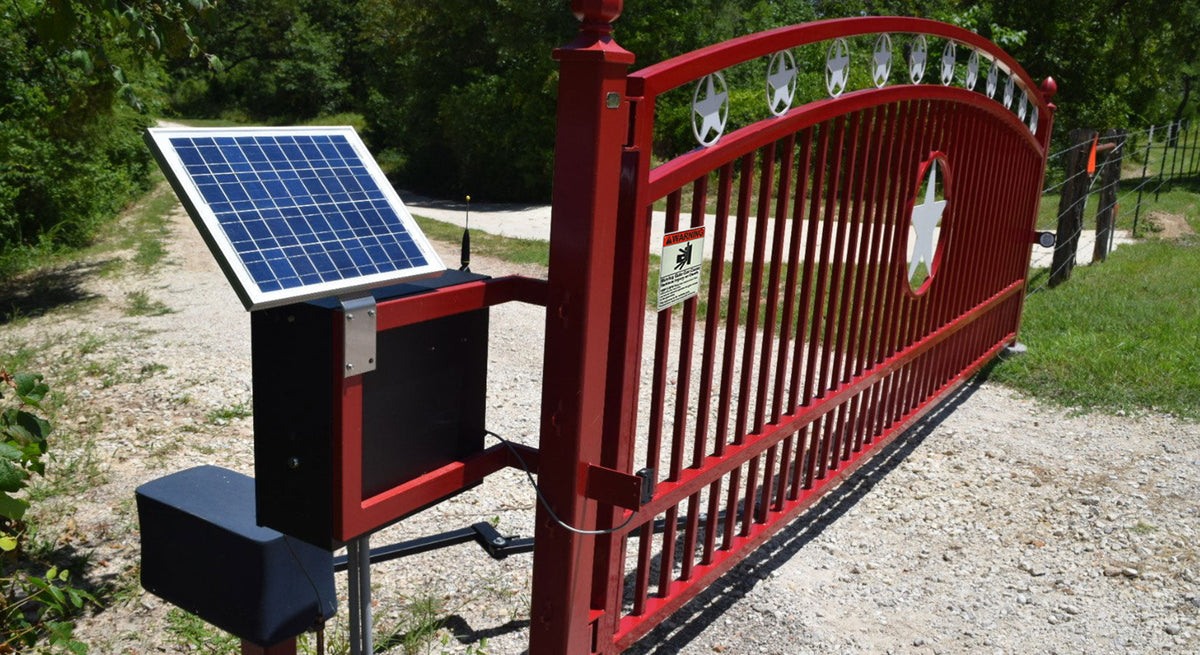
Already have an automatic gate but want a better way to control who can enter?
You may not need to replace the gate operator.
Many existing automatic gate systems can be upgraded with access-control equipment such as keypads, card readers, RFID systems, intercoms, smartphone controls, and remote receivers.
The right solution depends on your gate operator, available inputs, power requirements, wiring, number of users, and how you want people to access the property.
Whether you’re upgrading a residential driveway or adding employee access to a commercial gate, this guide explains the main options and what to check before buying.
Can You Add Access Control to an Existing Gate?
In many cases, yes.
An automatic gate operator already has a control system that receives commands telling the gate when to open.
Those commands may currently come from something as simple as a remote control.
Adding access control gives you another way to generate an authorized open command.
A simplified system might look like:
User → Access Device → Gate Operator → Gate Opens
The access device could be a:
- Keypad
- Card reader
- RFID system
- Intercom
- Telephone entry system
- Smartphone-enabled controller
- Remote receiver
The important part is compatibility.
Before purchasing an access-control device, determine how it will communicate with the existing gate operator and what additional equipment it requires.
Start With Your Existing Gate Operator
Before deciding which access-control technology you want, identify the gate operator already installed.
Find the:
- Manufacturer
- Model number
- Control board
- Available inputs
- Accessory power specifications
The operator’s manual can provide valuable information about accessory connections and compatible equipment.
This matters because two gate operators that perform the same basic job can have different:
- Input terminals
- Voltages
- Accessory power capabilities
- Wiring requirements
- Programming options
Don’t purchase an access-control system based only on the fact that you have an “automatic gate.”
Identify the operator first.
Option 1: Add a Keypad
A keypad is one of the simplest ways to add controlled access to an existing automatic gate.
Instead of carrying a remote or physical key, authorized users enter a code.
Depending on the keypad, the system may support:
- One access code
- Multiple codes
- Temporary codes
- Individual user codes
- Schedules
- Access logs
- Remote management
Features vary considerably between products.
When Does a Keypad Make Sense?
Keypads can work well for:
- Residential gates
- Small businesses
- Employee entrances
- Gated properties
- Self-storage facilities
- Service entrances
They’re particularly useful when you want to provide access without distributing physical credentials.
How Does a Gate Keypad Work?
A basic wired setup can look like:
User enters code → Keypad verifies code → Relay activates → Gate operator receives command → Gate opens
The gate operator doesn’t necessarily need to know which code was entered.
The keypad determines whether access is authorized and then provides the appropriate command.
More advanced networked access-control systems can provide significantly more user management and reporting.
What Do You Need to Check?
Before adding a keypad, verify:
- Gate operator compatibility
- Relay/input requirements
- Keypad voltage
- Available accessory power
- Wiring distance
- Outdoor rating
- Number of users required
- Mounting location
If the keypad will be installed alongside a driveway, you may also need an access-control pedestal.
Shop Gate Keypads
Option 2: Add a Card or Fob Reader
What if you don’t want users sharing access codes?
A card or fob system gives individual users their own credentials.
Instead of typing a code, the user presents a compatible:
- Proximity card
- Key fob
- Credential
- Smart card
to a reader.
The system determines whether that credential is authorized.
Why Use Individual Credentials?
Suppose 50 employees share one gate code.
One employee leaves the company.
If everyone uses the same code, you may need to change it and redistribute the new code to everyone.
With individually managed credentials, the appropriate credential can instead be removed from the system while the others continue working.
This makes card and fob access attractive for:
- Businesses
- Employee parking
- Gated communities
- Apartment properties
- Commercial facilities
- Controlled parking
Reader vs. Controller
It’s important to understand that a reader isn’t always the complete access-control system.
A typical installation may involve:
Credential → Reader → Access Controller → Gate Operator
The reader captures the credential.
The controller determines whether access should be granted.
The gate operator then receives the command to open.
Depending on the product, some functions may be combined into one device.
Shop Card Readers & Access Control
Option 3: Add Long-Range RFID Vehicle Access
What if authorized vehicles could approach the entrance and have the gate open without the driver lowering the window?
That’s where long-range RFID can become particularly useful.
Instead of requiring the driver to stop and enter a code, an RFID system can identify an authorized vehicle credential from a distance.
A simplified system might look like:
Vehicle approaches → RFID credential detected → Access approved → Gate opens
Where Does Long-Range RFID Make Sense?
Potential applications include:
- Gated communities
- Employee parking
- Commercial facilities
- Residential communities
- Warehouses
- Private parking
- Fleet entrances
It’s particularly useful when the same authorized vehicles enter repeatedly.
Benefits of Long-Range RFID
Depending on the system, benefits can include:
- Hands-free vehicle access
- Faster entry
- Individually managed credentials
- Reduced dependence on shared codes
- Better traffic flow
What Should You Check?
Long-range RFID installations require more planning than simply mounting a keypad.
Consider:
- Reader location
- Read range
- Lane width
- Vehicle approach
- Credential placement
- Reader power
- Communication wiring
- Access controller
- Gate operator interface
Long-range readers may also require their own power source rather than relying on the gate operator control board.
Always check the power requirements before installation.
Shop RFID Readers & Credentials
Option 4: Add Smartphone Gate Control
For residential and some commercial applications, smartphone control can provide another way to upgrade an existing gate.
Depending on the system, a connected controller can allow authorized users to operate or manage the gate from a phone.
Possible features can include:
- Open/close commands
- Remote operation
- Virtual access
- User sharing
- Schedules
- Notifications
- Smart-home integration
Capabilities depend on the specific product.
When Does Smartphone Access Make Sense?
It can be useful for:
- Residential gates
- Small properties
- Family access
- Rental properties
- Small businesses
- Remote gate management
It can also provide a convenient solution when physical remotes aren’t ideal.
Check Connectivity
Smartphone access may depend on technologies such as:
- Wi-Fi
- Bluetooth
- Internet connectivity
- Cellular service
- Local network connectivity
Requirements vary by system.
If the gate is far from the home or building, don’t assume Wi-Fi is available simply because the property has internet service.
Check connectivity at the actual gate location.
Option 5: Add a Telephone Entry or Video Intercom
Some gates need to manage more than regular authorized users.
They also need to handle visitors.
That’s where an intercom, telephone entry system, or video entry system becomes valuable.
A visitor arrives at the gate and uses the entry station to contact someone inside the property.
Depending on the system, the resident or employee can identify the visitor and remotely grant access.
Where Are Entry Systems Useful?
Common applications include:
- Gated communities
- Apartment buildings
- Condominiums
- Commercial properties
- Offices
- Residential estates
- Multi-tenant properties
Video Adds Another Layer
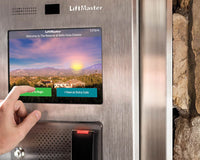
A video entry system can allow the person granting access to see the visitor as well as communicate with them.
Depending on the system, video entry may provide features such as:
- Live video
- Two-way communication
- Mobile app access
- Resident directories
- Credential management
- Remote gate release
Plan for Power and Connectivity
Video intercoms can have more demanding infrastructure requirements than a basic keypad.
Depending on the system, you may need:
- Dedicated power
- Ethernet
- Internet connectivity
- Cellular connectivity
- Low-voltage wiring
- Network equipment
Don’t assume the gate operator can power a video intercom.
Verify the requirements of the specific system.
Shop Telephone Entry & Video Intercom Systems
Option 6: Add or Upgrade the Remote Receiver
Sometimes you don’t need an entirely new access-control system.
You simply need a better remote-control setup.
Older gate operators may use an external or integrated receiver that communicates with handheld transmitters.
Depending on the operator, adding or upgrading a compatible receiver can allow you to:
- Add new remotes
- Replace an older radio system
- Expand transmitter capacity
- Use a different compatible transmitter platform
Receiver Compatibility Is Critical
Don’t choose a receiver or remote based only on the manufacturer logo.
Check:
- Operator model
- Receiver model
- Voltage
- Relay/output requirements
- Frequency
- Radio technology
- Compatible transmitters
Two remotes from the same manufacturer may use completely different technologies.
Shop Gate Remotes & Receivers
Which Access Control Option Is Best?
The right choice depends largely on who needs access.
|
Access Method |
Good For |
User Interaction |
|---|---|---|
|
Keypad |
Homes, small businesses, service access |
Enter a code |
|
Card/Fob |
Employees, residents, managed users |
Present credential |
|
Long-Range RFID |
Repeated authorized vehicle traffic |
Vehicle credential detected |
|
Smartphone |
Homes and connected properties |
Use phone/app |
|
Intercom/Video Entry |
Visitors and multi-tenant properties |
Call/request access |
|
Remote Control |
Regular individual users |
Press transmitter |
Many properties use more than one method.
For example, a gated community might use:
Residents → RFID
Visitors → Video Intercom
Maintenance → Keypad
Property Management → Mobile Access
There doesn’t have to be one access method for everyone.
Can You Combine Multiple Access-Control Methods?
Yes.
In fact, combining access methods can create a much better system.
Different users have different needs.
Consider a commercial property:
Employees
Card or fob access.
Management
Mobile access.
Delivery Drivers
Intercom.
Contractors
Temporary keypad code.
Regular Fleet Vehicles
Long-range RFID.
All of these methods can potentially work with the same gate when the access-control system and operator are designed and configured appropriately.
Access Control vs. Free Exit
Adding controlled entry doesn’t mean drivers should necessarily use the same credential when leaving.
Many gate systems use a free-exit vehicle detector on the secure side of the property.
The system might work like this:
Entry
Credential → Access approved → Gate opens
Exit
Vehicle detected → Exit request → Gate opens
Vehicle detection options can include:
- Inductive loops
- Probe sensors
- Magnetometers
- Radar detectors
This allows authorized entry to remain controlled while making exit more convenient.
Don’t Forget Gate Safety Equipment
Access control tells the gate when someone is authorized to enter.
It does not replace the gate’s required safety systems.
Depending on the operator and installation, the gate may use monitored entrapment-protection equipment such as:
- Photo eyes
- Safety edges
- Other compatible monitored devices
Don’t remove or bypass safety equipment when adding access control.
The access system and gate safety system perform different jobs.
Does Your Access Device Need Its Own Power?
This is one of the most important questions to answer before buying equipment.
Some relatively simple accessories may be able to use compatible accessory power available from a gate operator.
Other equipment may require a separate power supply.
Devices that can have greater power or infrastructure requirements include:
- Video intercoms
- Cameras
- Video keypads
- Long-range readers
- Network equipment
- Larger access-control systems
Always check:
Required voltage
Current consumption
Available operator accessory power
Manufacturer wiring requirements
Don’t connect an accessory simply because the voltage appears to match.
Verify that the power source can support the device.
Wired vs. Wireless Access Control
Another major consideration is how the access device communicates with the rest of the system.
Wired Access Control
A traditional wired system can provide a direct connection between the access device and control equipment.
This may require:
- Conduit
- Trenching
- Cable
- Pavement work
For new construction, wiring can often be incorporated into the project from the beginning.
Wireless Solutions
Wireless technology can reduce the need for communication cable between certain components.
This can be especially useful when:
- Pavement is already finished
- Trenching is expensive
- The gate is separated from the building
- A cable path isn’t practical
However, wireless does not mean wire-free.
The equipment may still need:
- Power
- Local wiring
- Receivers
- Network connectivity
- Batteries
Evaluate the entire installation rather than only the communication method.
Where Should the Access Device Be Mounted?
If drivers need to physically interact with the device, placement matters.
A keypad that’s too far from the vehicle creates a poor experience.
A pedestal that’s too close can become a collision risk.
Consider:
- Driver reach
- Vehicle height
- Lane width
- Approach angle
- Turning radius
- Gate movement
- Device dimensions
- Conduit location
For open driveway installations, an access-control pedestal can provide the mounting point.
Depending on the site, ASE offers different pedestal configurations for surface-mounted, dual-height, and in-ground applications.
For entrances receiving both cars and trucks, a dual-height pedestal can make access easier for drivers at different cab heights.
What If the Gate Is Far From the Building?
This is common with driveway and commercial gate installations.
The gate may be hundreds of feet from:
- Power
- Network equipment
- Access-control panels
- The main building
That distance can affect which technology makes sense.
Before choosing a system, consider:
- Available power at the gate
- Cable distance
- Voltage drop
- Network availability
- Wi-Fi range
- Cellular coverage
- Trenching requirements
- Wireless communication range
A product that works perfectly at a gate 30 feet from a building may not be the best solution for a gate several hundred feet away.
Can You Add Access Control to a Solar Gate?
Potentially, but power consumption becomes especially important.
A solar gate system has a limited energy budget determined by factors such as:
- Solar panel capacity
- Battery capacity
- Sun exposure
- Gate cycles
- Operator consumption
- Connected accessories
Adding access-control equipment increases the system’s electrical load.
A basic accessory and a continuously operating video intercom have very different power requirements.
Don’t add accessories to a solar operator without evaluating the complete power system.
Some access-control equipment may require a separate power solution.
Do You Need a Separate Access Control Panel?
Not always.
Some standalone keypads and other devices can manage credentials internally and provide a relay output directly to a compatible gate operator.
Larger systems may use a separate access-control panel.
A dedicated controller becomes particularly useful when you need features such as:
- Many users
- Multiple entrances
- Central credential management
- Detailed access records
- Schedules
- Remote administration
- Integration with other doors or gates
Think about both today’s requirements and future expansion.
A system designed for ten users may not be the right choice if the property expects to manage hundreds later.
Before You Buy: Automatic Gate Access Control Checklist
Before purchasing equipment for an existing gate, collect this information.
Gate Operator
- Manufacturer
- Exact model
- Control board
- Available inputs
- Accessory power specifications
Users
- How many people need access?
- Employees?
- Residents?
- Visitors?
- Contractors?
- Delivery drivers?
Access Method
- Code?
- Card/fob?
- RFID?
- Smartphone?
- Remote?
- Intercom?
Infrastructure
- Power available?
- Conduit?
- Existing wiring?
- Wi-Fi?
- Ethernet?
- Cellular coverage?
Installation
- Wall mount?
- Pedestal?
- Distance from operator?
- Distance from building?
- Passenger vehicles?
- Trucks?
Management
- Do you need individual users?
- Temporary credentials?
- Access schedules?
- Audit history?
- Remote administration?
Answer these questions first, and choosing the equipment becomes much easier.
Example 1: Residential Gate Upgrade
Existing System
Automatic driveway gate with handheld remotes.
Goal
Give family members convenient access and allow visitors to request entry.
Possible Upgrade
Residents → Smartphone/remote access
Visitors → Keypad or intercom
Exit → Vehicle detector
The existing operator may remain in place while new access methods are added around it.
Example 2: Employee Parking Gate
Existing System
Commercial automatic gate.
Goal
Manage access for employees without sharing one gate code.
Possible Upgrade
Employees → Individual cards/fobs
Management → Access-control software
Visitors → Intercom
Exit → Vehicle detector
Individual credentials make it easier to add and remove employee access without changing everyone’s credentials.
Example 3: Gated Community
Existing System
Automatic vehicle entrance.
Goal
Provide convenient resident entry while managing visitors separately.
Possible Upgrade
Residents → Long-range RFID
Visitors → Telephone/video entry
Service providers → Managed credentials or codes
Exit → Vehicle detection
This allows the access method to match the type of user.
Example 4: Commercial Entrance With Cars and Trucks
Existing System
Automatic gate serving employees and deliveries.
Goal
Make the same access system practical for different vehicle heights.
Possible Upgrade
A dual-height pedestal can position compatible access devices for both passenger vehicles and truck drivers.
This prevents a standard-height keypad from becoming difficult for drivers sitting higher in commercial truck cabs.
Frequently Asked Questions
Can I add a keypad to my existing automatic gate?
In many cases, yes. The keypad needs to be compatible with the operator’s control input and electrical requirements. Check the exact operator model and keypad specifications before purchasing.
Can I add smartphone control to an old gate opener?
Potentially. Compatible smart controllers can be added to some existing gate operators. Compatibility, connectivity, power, and operator inputs should be verified first.
Can I add a card reader to a gate?
Yes, when the appropriate reader, controller, power, wiring, and gate interface are provided. A reader alone may not constitute the complete access-control system.
Can I add an intercom to an existing gate?
Often, yes. The installation may require power, communication, network or cellular connectivity, a mounting location, and a compatible method of triggering the gate operator.
Can I add RFID to an existing automatic gate?
Many existing gate systems can be integrated with an RFID access-control system. The reader/controller needs to provide a compatible command to the gate operator, and the installation must account for reader location, power, credentials, and communication.
Do I need to replace my gate operator to add access control?
Not necessarily. If the existing operator is functional and provides a compatible way to receive an access command, additional access-control equipment may be installed without replacing the operator.
What is the easiest access control to add to a gate?
It depends on the operator and existing infrastructure. A compatible standalone keypad or receiver can be relatively straightforward in some installations, while networked access control, RFID, and video entry may require additional equipment and planning.
Does access control make my gate safer?
Access control manages who is permitted to enter. It should not be confused with entrapment-protection equipment, which addresses hazards associated with gate movement. Both need to be considered separately.
Upgrade Your Existing Gate With Access Control
Adding access control doesn’t necessarily mean starting over.
A working automatic gate can often be upgraded with a new way to manage entry.
The right solution could be:
Keypad → Simple code access
Card/Fob → Individual user credentials
Long-Range RFID → Hands-free vehicle access
Smartphone → Connected gate control
Intercom → Visitor management
Remote Receiver → Traditional transmitter access
Or a combination of several technologies.
At All Security Equipment, you’ll find access-control equipment for residential, commercial, multi-tenant, and automatic gate applications, including:
Keypads | Card Readers | RFID | Credentials | Intercoms | Telephone Entry | Remotes & Receivers | Pedestals | Vehicle Detection | Gate Operators
Upgrade the Gate You Already Have
Already know how you want users to enter?
Shop access control equipment at All Security Equipment to find keypads, readers, intercoms, RFID systems, receivers, pedestals, and other solutions for automatic gates.
Not sure what works with your existing operator?
Contact the All Security Equipment team with your gate operator manufacturer, model number, and the type of access you’d like to add. We can help you identify compatible equipment for your application.