Skip to content

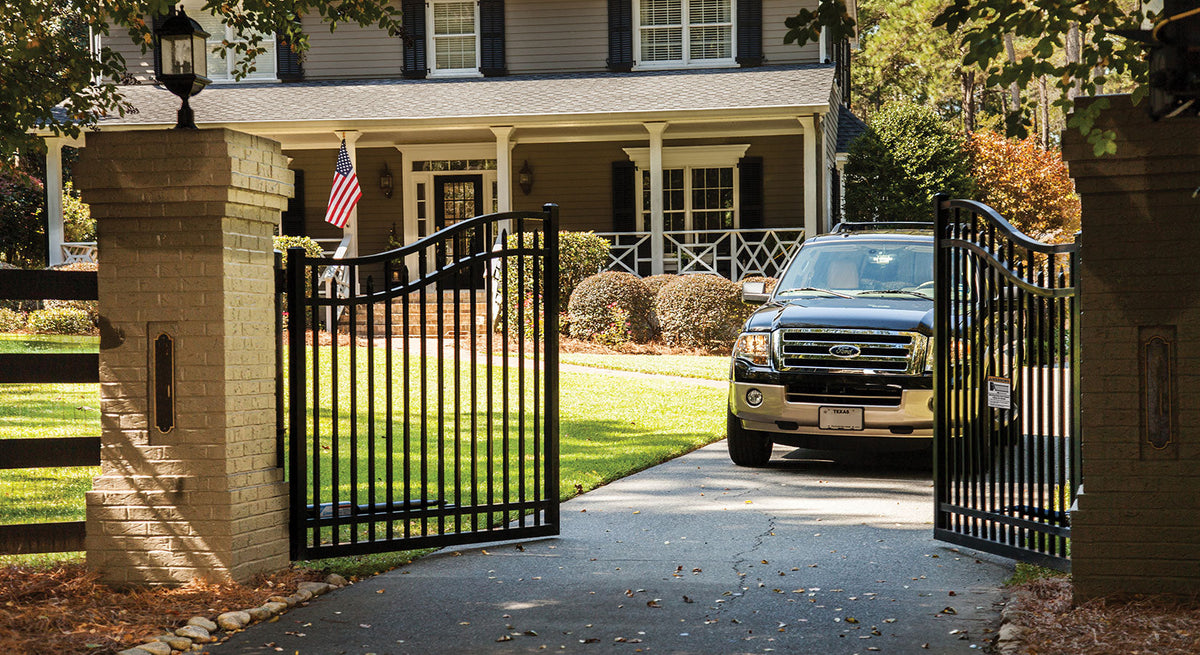
Automatic gates need more than a gate operator to function as a complete system.
They also need safety devices designed to help detect obstructions in areas where a moving gate could create a hazard.
One of the most common devices used for this purpose is a photo eye, also called a photoelectric sensor.
But when shopping for gate photo eyes, you’ll quickly find different options, including through-beam and reflective photo eyes, as well as monitored and non-monitored models.
So what’s the difference?
And which photo eye should you use with your automatic gate?
This guide explains how gate photo eyes work, the differences between through-beam and reflective sensors, and what to check before selecting one for your gate operator.
You can also browse gate photo eyes and safety sensors available from All Security Equipment.
What Is a Gate Photo Eye?
A gate photo eye is a photoelectric sensor used to detect an obstruction within a designated area.
The sensor creates an infrared beam across the monitored opening. When an object interrupts that beam, the photo eye changes its output to communicate that condition to the gate operator or associated control system.
Depending on how the gate operator is configured, that input can affect gate movement.
Photo eyes are commonly used with:
- Swing gates
- Slide gates
- Barrier gates
- Residential gate operators
- Commercial gate operators
- Industrial gate systems
The important thing to understand is that a photo eye doesn’t physically stop the gate.
It detects an obstruction and communicates with the gate operator, which then responds according to its programming and safety requirements.
Why Do Automatic Gates Use Photo Eyes?
An automatic gate is a large moving object.
Vehicles, people, equipment, and other objects can potentially enter the gate’s path while it is operating.
Photo eyes provide a non-contact method of detecting an obstruction within the sensor’s beam.
Depending on the installation and operator requirements, photoelectric sensors can be used as part of an entrapment-protection system.
They’re often used alongside other safety equipment, such as gate safety edges.
The two technologies work differently:
Photo Eye → Non-contact detection
Safety Edge → Contact detection
A properly designed gate system may use one or more types of protection depending on the gate, operator, entrapment zones, and manufacturer requirements.
How Does a Gate Photo Eye Work?
The basic concept is straightforward.
A photo eye creates a beam between two points.
When the beam is clear:
Transmitter → Beam → Receiver
When something blocks it:
Transmitter → Vehicle/Person/Object → Beam Interrupted
The sensor then changes its output.
The exact behavior of the gate depends on:
- Gate operator
- Sensor connection
- Operator programming
- Direction of gate travel
- Safety input being used
- Manufacturer requirements
This is why installing a photo eye isn’t simply a matter of mounting the sensor and connecting two wires.
The sensor needs to be appropriate for the operator and the intended safety function.
Through-Beam vs. Reflective Photo Eyes
One of the biggest differences between gate photo eyes is how the beam travels between the two sides of the opening.
The two common configurations are:
Through-Beam Photo Eye
and
Reflective Photo Eye
Both detect an interrupted beam, but the equipment arrangement is different.
What Is a Through-Beam Photo Eye?
A through-beam system uses separate transmitting and receiving components positioned across from each other.
The configuration looks like:
Transmitter →→→→→ Receiver
The transmitter sends the infrared beam across the gate opening.
The receiver is installed on the opposite side and detects that beam.
If a vehicle, person, or object interrupts it, the receiver recognizes the change.
What Does a Through-Beam Installation Require?
Because equipment is installed on both sides of the opening, the installation needs to account for:
- Sensor mounting on both sides
- Alignment between transmitter and receiver
- Power requirements
- Wiring requirements
- Distance between devices
- Gate movement
- Vehicle traffic
Depending on the product, both sides may require wiring or one side may use a different power arrangement.
Always check the specifications of the particular photo eye.
Advantages of Through-Beam Photo Eyes
A through-beam configuration provides a direct beam between dedicated transmitting and receiving components.
Depending on the product and application, this can be beneficial for:
- Longer detection distances
- Dedicated transmitter-to-receiver alignment
- Commercial gate entrances
- Wide openings
- Outdoor automatic gate systems
The exact sensing range varies by model.
When Should You Consider a Through-Beam Photo Eye?
A through-beam photo eye may make sense when:
- You can install equipment on both sides of the opening
- The required detection range fits the sensor specifications
- The gate operator supports the device
- The sensor is approved for the intended safety function
- Wiring and mounting can be planned appropriately
What Is a Reflective Photo Eye?
A reflective photo eye uses a sensor on one side of the opening and a reflector on the opposite side.
Instead of sending the beam to a separate powered receiver, the sensor sends the beam toward the reflector.
The reflector returns it.
The arrangement looks like:
Sensor →→→ Reflector
Sensor ←←← Reflector
When an object interrupts the beam path, the sensor detects the change.
Why Use a Reflective Photo Eye?
One major installation advantage is that the opposite side of the opening uses a reflector rather than a separate receiver.
Depending on the product, this can reduce the amount of powered equipment required on the opposite side of the gate opening.
This can be useful when running wiring across or around the driveway would be difficult.
When Should You Consider a Reflective Photo Eye?
A reflective photo eye may be useful when:
- Wiring to both sides of the opening is difficult
- A reflector can be securely mounted opposite the sensor
- The required detection distance falls within the product’s specifications
- The gate operator and sensor are compatible
- The device meets the requirements of the intended application
Again, installation convenience should not be the only factor.
Compatibility and safety requirements come first.
Through-Beam vs. Reflective Photo Eye Comparison
|
Feature |
Through-Beam |
Reflective |
|---|---|---|
|
Sensor arrangement |
Separate transmitter and receiver |
Sensor and reflector |
|
Equipment on opposite side |
Receiver |
Reflector |
|
Alignment required |
Yes |
Yes |
|
Wiring considerations |
May require equipment connections on both sides |
Can reduce wiring needs on reflector side |
|
Detection range |
Depends on model |
Depends on model |
|
Gate operator compatibility |
Must be verified |
Must be verified |
|
Best choice |
Depends on installation |
Depends on installation |
Neither design is automatically better for every gate.
The right choice depends on the operator, site layout, wiring, detection distance, and safety requirements.
What Is a Monitored Gate Photo Eye?
When shopping for photo eyes, you’ll also encounter the term monitored.
This is different from through-beam versus reflective.
Through-beam and reflective describe how the sensor detects across the opening.
Monitoring relates to how the gate operator verifies the safety device and its connection.
Modern gate operators may require compatible monitored entrapment-protection devices.
The operator and safety device are designed to work together so that the system can verify the presence or condition of the required protection.
If the required monitored device isn’t detected or there’s a fault, normal gate operation may be restricted according to the operator’s design.
Why Compatibility Matters
You shouldn’t choose a monitored photo eye based only on:
- Voltage
- Appearance
- Brand
- Number of wires
The sensor needs to be compatible with the specific gate operator and safety input.
Always check:
Gate Operator Model → Approved/Compatible Safety Device → Required Connection
If you’re shopping for a new operator as well, browse automatic gate operators and review the safety-device requirements for the model you’re considering.
Monitored vs. Non-Monitored Photo Eyes
Older gate systems may use non-monitored photoelectric devices, while newer operator systems can require monitored entrapment protection.
This distinction is important when replacing an existing sensor.
An old photo eye that worked with a previous operator isn’t automatically the correct safety device for a newer one.
Likewise, simply finding a sensor with the same voltage doesn’t establish compatibility.
Before replacing a photo eye, identify:
- Operator manufacturer
- Exact operator model
- Existing photo-eye model
- Required monitored interface
- Intended safety function
Then verify the replacement against manufacturer documentation.
Gate Photo Eye vs. Vehicle Loop Detector
Photo eyes and vehicle detectors can both react to vehicles, but they’re not the same type of device.
Photo Eye
Detects an object interrupting an optical beam.
Vehicle Detector
Detects a vehicle using technology such as:
- Inductive loops
- Magnetometers
- Radar
- Other vehicle-detection methods
A vehicle detector may be used for functions such as:
- Free exit
- Vehicle presence
- Gate hold-open logic
- Traffic control
Photo eyes are used for optical obstruction detection and, when appropriately listed and installed, can serve required entrapment-protection functions.
One shouldn’t automatically be substituted for the other.
Browse vehicle detection equipment if your application requires vehicle detection rather than—or in addition to—photoelectric sensing.
Gate Photo Eye vs. Safety Edge
Another common question is whether to use a photo eye or safety edge.
The difference is primarily how the obstruction is detected.
Photo Eye
Detects an obstruction before physical contact with the gate when the object interrupts the beam.
Safety Edge
Detects contact when an object presses against the sensing edge.
Safety edges are commonly installed along potential contact areas on moving gates.
Depending on the gate and operator, a system may use both photo eyes and safety edges.
The appropriate configuration depends on the gate design and entrapment zones.
Where Are Photo Eyes Installed on a Gate?
Photo-eye placement depends on the gate type, operator, and intended protection zone.
The sensor needs:
- Clear line of sight
- Stable mounting
- Correct alignment
- Protection from gate movement
- Appropriate positioning for the intended detection area
Don’t position a sensor where the gate itself will repeatedly interrupt the beam unless that’s part of the manufacturer’s intended configuration.
Slide Gates
A slide gate moves horizontally alongside a fence or wall.
Potential entrapment areas can exist around:
- Closing edge
- Opening/rear travel area
- Posts
- Fixed objects
- Gate hardware
The required protection should be determined based on the complete gate installation.
Swing Gates
A swing gate travels through an arc.
Sensor placement needs to account for:
- Gate swing path
- Opening direction
- Closing direction
- Nearby structures
- Vehicle position
A sensor placed incorrectly can leave important areas unprotected.
Photo Eyes for Residential Gates
Residential automatic gates may use photo eyes as part of the operator’s safety system.
When choosing a sensor, don’t focus only on price.
Verify:
- Operator compatibility
- Monitoring requirements
- Outdoor suitability
- Detection range
- Mounting requirements
- Wiring requirements
If you’re replacing an existing sensor, start with the gate operator model rather than assuming any residential photo eye will work.
Photo Eyes for Commercial Gates
Commercial gate entrances can introduce additional challenges.
They may have:
- Wider openings
- More daily cycles
- Trucks
- Delivery vehicles
- Multiple traffic lanes
- More complex access control
- Different entrapment areas
Sensor selection and placement should be considered as part of the complete gate design.
Commercial applications may also use multiple detection technologies simultaneously.
For example:
Photo Eye → Obstruction Detection
Safety Edge → Contact Detection
Vehicle Detector → Vehicle Presence/Exit
Each device has a different purpose.
What Detection Range Do You Need?
Every photo eye has a specified sensing range.
The correct range depends on the distance between the sensor and receiver or reflector.
Don’t assume that a sensor intended for a short driveway can cover a very wide commercial entrance.
Measure the required distance and compare it with the manufacturer’s specifications.
Also remember that maximum published range isn’t the only consideration.
Outdoor conditions, mounting, alignment, and installation requirements can affect performance.
Alignment Matters
A photo eye depends on a properly aligned optical path.
If the transmitter and receiver—or sensor and reflector—aren’t aligned correctly, the system may not operate as intended.
Alignment can be affected by:
- Loose mounting
- Posts shifting
- Physical impact
- Vibration
- Landscaping
- Installation movement
If a photo eye suddenly begins creating problems after previously working correctly, alignment is one of the items worth checking.
Keep the Photo Eye Lens Clean
Outdoor sensors are exposed to the environment.
Over time, the lens can collect:
- Dust
- Dirt
- Mud
- Water residue
- Insects
- Landscaping debris
If the optical path becomes obstructed, the sensor may respond as though something is blocking the gate.
Periodic visual inspection can help identify obvious problems.
Follow the manufacturer’s maintenance instructions for the sensor.
Weather and Outdoor Installation
Automatic gate photo eyes are often installed outdoors, so environmental suitability matters.
Before purchasing, check the manufacturer’s specifications for:
- Outdoor use
- Enclosure rating
- Temperature range
- Moisture exposure
- Operating range
Don’t assume every photoelectric sensor is intended for outdoor gate use.
Use equipment designed and approved for the application.
Sunlight and Photo Eyes
Outdoor photoelectric sensors need to operate in changing light conditions.
Depending on the sensor and installation, direct sunlight can affect performance if the system isn’t positioned appropriately.
Follow the manufacturer’s installation recommendations regarding orientation and environmental conditions.
This is another reason to use photo eyes specifically designed for automatic gate applications rather than general-purpose sensors.
Wired vs. Wireless Gate Photo Eyes
Running wire across an existing driveway can be difficult.
This has led to gate safety solutions that reduce certain wiring requirements.
However, the terms wired and wireless need to be understood carefully.
A wireless component may still require:
- Local power
- Batteries
- A transmitter
- A receiver
- Wiring on one side
Wireless doesn’t necessarily mean the entire photo-eye installation has no wires.
Before selecting a system, determine exactly what wiring and power are required at each side of the entrance.
Replacing an Existing Gate Photo Eye
If you’re replacing a failed photo eye, don’t order a new one based only on how the old sensor looks.
Start with the existing system.
Identify:
Gate Operator
- Manufacturer
- Model number
- Control board
Existing Photo Eye
- Manufacturer
- Model number
- Monitoring method
- Wiring configuration
Installation
- Through-beam or reflective?
- Distance across opening?
- Mounting locations?
- Existing wiring?
Then verify which replacement devices are compatible with the operator.
Don’t Bypass a Gate Photo Eye to Keep the Gate Running
If a gate stops operating because of a photo-eye fault, bypassing or disabling the safety device isn’t an appropriate troubleshooting solution.
The operator may be responding exactly as designed because required safety equipment isn’t functioning or isn’t being detected correctly.
Instead, determine why the safety input is active.
Possible issues can include:
- Obstruction
- Misalignment
- Dirty lens
- Damaged wiring
- Power problem
- Failed sensor
- Incorrect connection
- Incompatible device
Correct the underlying problem before returning the gate to normal operation.
How to Choose a Gate Photo Eye
Use this process before purchasing.
Step 1: Identify the Gate Operator
Find the exact manufacturer and model.
Step 2: Determine the Required Safety Devices
Check the operator documentation and installation requirements.
Step 3: Verify Monitoring Compatibility
If a monitored entrapment-protection device is required, make sure the photo eye is approved for the operator and intended connection.
Step 4: Choose Through-Beam or Reflective
Consider:
- Wiring
- Mounting
- Opening width
- Available locations
- Manufacturer requirements
Step 5: Measure the Distance
Make sure the sensor’s specified range fits the opening.
Step 6: Plan the Mounting Location
Check line of sight, gate movement, vehicle traffic, and the intended detection zone.
Step 7: Verify Environmental Requirements
Make sure the equipment is suitable for the installation environment.
Gate Photo Eye Buying Checklist
Before ordering, confirm:
Gate Operator
- Manufacturer
- Model
- Required monitored device?
- Compatible photo eyes?
Sensor
- Through-beam or reflective?
- Monitored or non-monitored?
- Detection range?
- Outdoor rated?
- Power requirements?
Installation
- Opening width?
- Wiring available on both sides?
- Clear line of sight?
- Stable mounting locations?
- Gate movement considered?
Safety
- Which entrapment zone is being protected?
- Are additional photo eyes required?
- Are safety edges required?
- Does the installation follow the operator manufacturer’s instructions?
Frequently Asked Questions
What is a photo eye on an automatic gate?
A photo eye is a photoelectric sensor that uses an optical beam to detect an obstruction. When the beam is interrupted, the sensor communicates that condition to the gate operator or control system.
What is the difference between through-beam and reflective photo eyes?
A through-beam system uses separate transmitter and receiver components on opposite sides of the opening. A reflective system uses a sensor on one side and a reflector on the other.
Which is better: through-beam or reflective?
Neither is universally better. The right choice depends on the gate operator, installation layout, wiring, detection range, environmental conditions, and safety requirements.
What is a monitored gate photo eye?
A monitored photo eye is designed to work with a compatible gate operator that verifies the presence or condition of the entrapment-protection device. Compatibility with the specific operator must be confirmed.
Can I use any photo eye with my gate opener?
No. Verify compatibility with the exact gate operator, especially when the sensor is being used as a monitored entrapment-protection device.
Can a photo eye detect a car?
A vehicle crossing the sensor’s beam can interrupt it. However, a photo eye isn’t the same as a dedicated vehicle detector such as a loop, magnetometer, or radar sensor.
Do I need both photo eyes and safety edges?
It depends on the gate, operator, entrapment zones, and installation requirements. Some systems may require multiple protection devices. Follow the operator manufacturer’s instructions and applicable requirements.
Why does my gate photo eye keep triggering?
Possible causes include an obstruction, dirty lens, misalignment, wiring problems, power issues, physical movement, environmental conditions, or a failed sensor. Diagnose the cause rather than bypassing the device.
Can I replace an old photo eye with a newer model?
Potentially, but compatibility must be verified. A replacement should meet the gate operator’s electrical, monitoring, and safety-device requirements.
Find Gate Photo Eyes at All Security Equipment
The right gate photo eye isn’t simply the sensor with the longest range or easiest installation.
Start with:
Gate Operator → Safety Requirements → Compatibility → Sensor Type → Range → Installation
Then determine whether a through-beam or reflective photo eye makes the most sense for the application.
At All Security Equipment, you’ll find photo eyes and other automatic gate safety equipment for residential and commercial gate systems.
Explore:
Shop Vehicle Detection Equipment
Need Help Finding a Compatible Photo Eye?
If you’re replacing an existing sensor or adding safety equipment to an automatic gate, start with the gate operator model.
Contact the All Security Equipment team with the manufacturer and model number of your gate operator, along with information about the existing photo eye or installation. We can help you identify compatible equipment for your system.