Skip to content

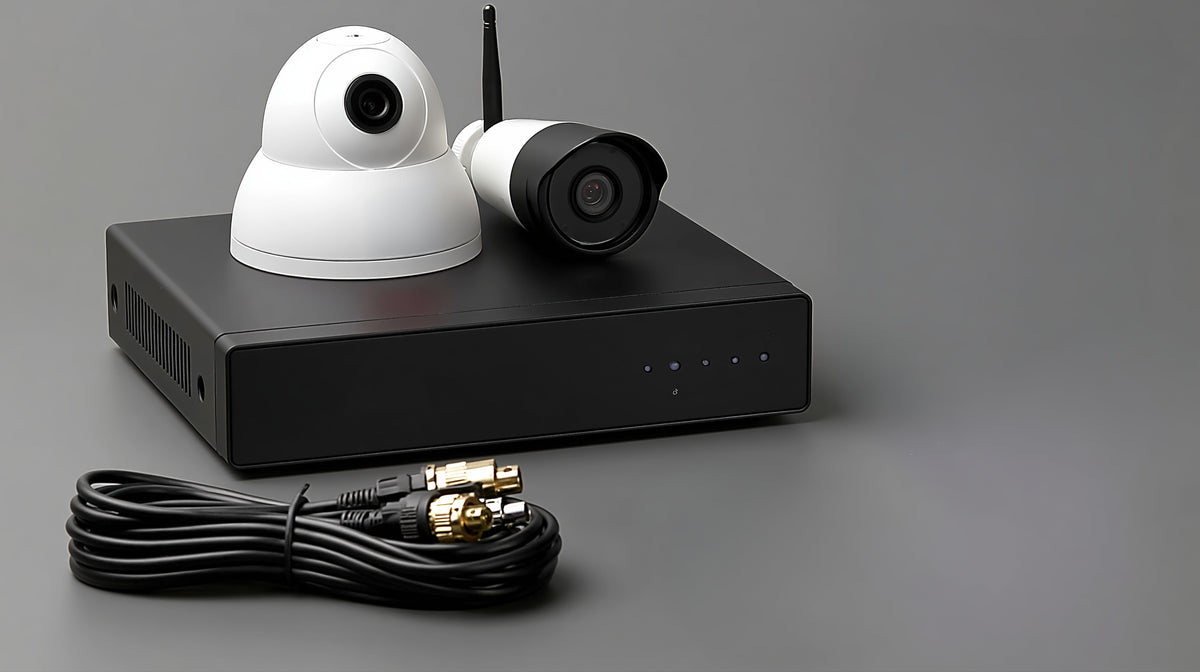
A network video recorder (NVR) saves footage from compatible IP cameras for later playback. Homeowners and businesses choosing a recording setup do not always need a dedicated NVR: some cameras support onboard storage, computer or NAS software, or a cloud service. An NVR is useful when its centralized recording and playback features fit the system’s needs. The choice depends on camera compatibility, recording schedules, storage, and retrieval.
NVR quick facts
-
Main function: receive and store video from compatible IP cameras.
-
Recording alternatives: supported camera memory cards, computer or NAS software, and cloud services.
-
PoE function: supply power and data over Ethernet; PoE does not store video.
-
Selection criteria: camera compatibility, recording capacity, retention, and access to saved footage.
What does NVR mean in a security camera system?
The meaning of NVR is network video recorder. IP (Internet Protocol) cameras capture and encode video, then send that video over a network to the recorder. The NVR stores supported streams and provides an interface for reviewing them.
An “NVR camera” usually means an IP camera used with an NVR. The camera and the recorder are separate devices. When comparing IP cameras, check their supported recording methods as well as image quality.
A typical system combines compatible cameras, a recorder, storage drives, network connections, and power. Some recorders have built-in Power over Ethernet (PoE) ports that can power compatible cameras. Others use separate network switches and camera power supplies. Check whether storage drives are included.

Do you need an NVR for your security cameras?
If you are asking “Do I need an NVR?”, first decide whether you need live viewing only or recordings you can retrieve later. A camera that displays a live feed is not necessarily saving that video.
A dedicated NVR is worth considering when you want a single place to manage recording schedules, search footage, and export clips. It can also keep recording separate from a computer used for daily work. Supported features and capacity vary by model.
An IP camera without NVR hardware can still be useful if it supports the alternative you need, such as onboard storage or compatible recording software. Verify the exact model before buying: some cameras rely on a particular recorder or vendor platform.
|
Your goal |
Option to evaluate |
What to verify |
|---|---|---|
|
Watch live video only |
A supported app, browser interface, or viewing client |
Standalone access and any account or network requirements. |
|
Save footage directly at a camera |
Onboard microSD storage |
Card support, recording modes, capacity, and clip retrieval. |
|
Record through existing computer or NAS hardware |
Compatible video management software |
Camera support, licenses, storage, and continuous availability. |
|
Manage several cameras through a dedicated recorder |
An NVR with suitable drives |
Channels, recording bandwidth, retention, and required features. |
|
Keep recordings off site |
A compatible cloud service or backup arrangement |
Supported cameras, plan limits, upload needs, and outage behavior. |
Camera count alone does not decide the answer. A single camera may justify a dedicated recorder if retrieving footage is critical; several cameras may work well with an appropriately configured recording server.

What changes when you record without a dedicated NVR?
Removing the NVR box means another device or service must perform the recording. Compare the complete arrangement, including storage, software, maintenance, and any recurring fees.
Camera memory cards store footage at the camera
A supported microSD card stores footage at the camera. Depending on the camera, this can include event recording or continuous recording. Check the approved card type and recording settings. If the camera is stolen or damaged, its local recordings may be lost unless another copy exists.
Computer and NAS recording requires compatible software
A computer running compatible video management software can record camera streams. A supported network-attached storage device, or NAS, can also run surveillance software. These systems still perform a recorder function even though you have not purchased a dedicated NVR appliance.
Check camera support and licensing before relying on equipment you already own. The recording device must remain available during the required recording hours. A sleeping computer or stopped recording application can leave gaps.
Cloud recording depends on service and connection requirements
A compatible cloud service can keep footage away from the property. Compare recording modes, retention, subscription terms, and what happens if the internet connection fails. Local storage and cloud backup can sometimes work together, but support depends on the system.
Can a PoE camera work without an NVR?
Yes, a PoE camera without NVR hardware can work when the model supports standalone operation and your chosen viewing or recording method. PoE supplies power and data over Ethernet; it does not itself provide video storage.
For example, a compatible camera can connect to a PoE switch, with a supported computer client accessing it over the local network. A suitable PoE injector is another way to provide power. An ordinary Ethernet port on a router or computer should not be assumed to supply PoE.
Before using this arrangement, confirm the camera’s PoE requirements, the switch or injector’s available power, and the recording destination. A working network connection is only one part of a working surveillance system.
NVR compatibility and recording requirements to check
-
Camera compatibility. Match the exact camera model and firmware to the recorder or software. ONVIF support can help, but verify the supported profile and the features you need, including audio, events, and analytics.
-
Recording capacity. Check supported resolutions, frame rates, codecs, and total incoming recording bandwidth. An available camera channel does not automatically confirm that every desired setting is supported.
-
Retention. Decide how many days of footage you need and whether recording will be continuous or event-based. Storage needs depend on bitrate and recording time as well as camera count. Use the manufacturer’s sizing guidance for the intended settings.
-
Retrieval and resilience. Confirm who will search and export clips, how access is managed, and which devices must stay powered. Test recording and playback, and decide whether important footage needs a separate backup.
For a small shop, the deciding factor might be whether staff can quickly find footage from several cameras after an incident. For a homeowner checking one entrance, supported onboard recording may meet the need. These are starting points for evaluation, not fixed rules based on property size.
If a dedicated recorder fits your requirements, use our guide to choosing an NVR camera system to compare equipment. Before setup, review NVR installation mistakes to avoid.
Compare NVR equipment using your recording requirements
Write down your camera models, recording schedule, retention goal, and playback requirements before comparing hardware. Use that list to evaluate video recorders alongside any supported alternative.
For help checking a proposed combination, contact All Security Equipment with the camera and recorder model numbers. That gives the team a concrete starting point for discussing your system.
NVR recording and compatibility FAQs
How do I connect an IP camera to a PC without an NVR?
Connect a compatible camera and PC to the same local network, supply the camera with the required power, and add it in supported software. To save footage, configure recording and keep the PC and application running.
Can an NVR record without internet access?
Many systems can record locally while their cameras, recorder, storage, and local network remain powered and connected. Remote access and cloud features may need internet access, depending on the model and service.
Can a camera record continuously to a microSD card?
Some cameras support continuous recording to microSD, but a card slot alone does not confirm that capability. Check the model’s recording modes, approved cards, and retention at your settings.
Will any IP camera work with any NVR?
No; check the exact models, supported protocols, and required features. ONVIF compatibility can help, but matching profiles does not guarantee every vendor-specific feature will work.