Skip to content

What a Control Board Does
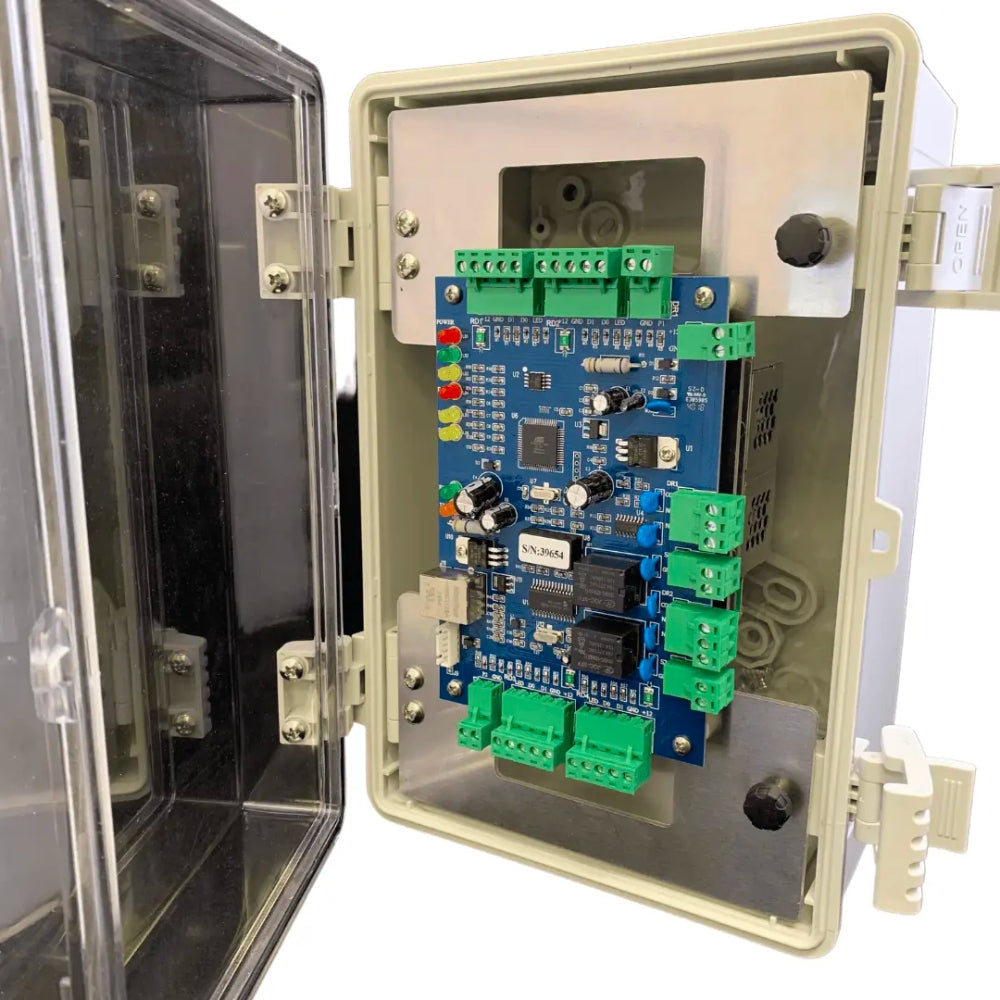
The control board is the brain of your gate operator. It sends and receives signals between the motor, safety sensors, and accessories. When it fails, your gate may stop moving, open halfway, or ignore commands.
If your gate suddenly stops working or behaves oddly, the control board should be one of the first parts you inspect.
Common Signs of Control Board Problems
-
The gate won’t respond to remotes or keypads even though it has power.
-
The gate stops mid-cycle or opens only partway.
-
Fuses keep blowing or you notice a burnt smell
-
LED lights flash errors that indicate a sensor or logic fault.
-
Accessories lose power such as keypads, loops, or photo eyes.
Step 1: Confirm the Power Source
Check if the operator is getting the correct voltage. Use a multimeter to test the power input.
-
Low or unstable voltage can look like board failure.
-
For LiftMaster systems, make sure your input matches the model’s rating (120V AC, 24V DC, or 12V DC).
If the power looks good, move on to the board itself.
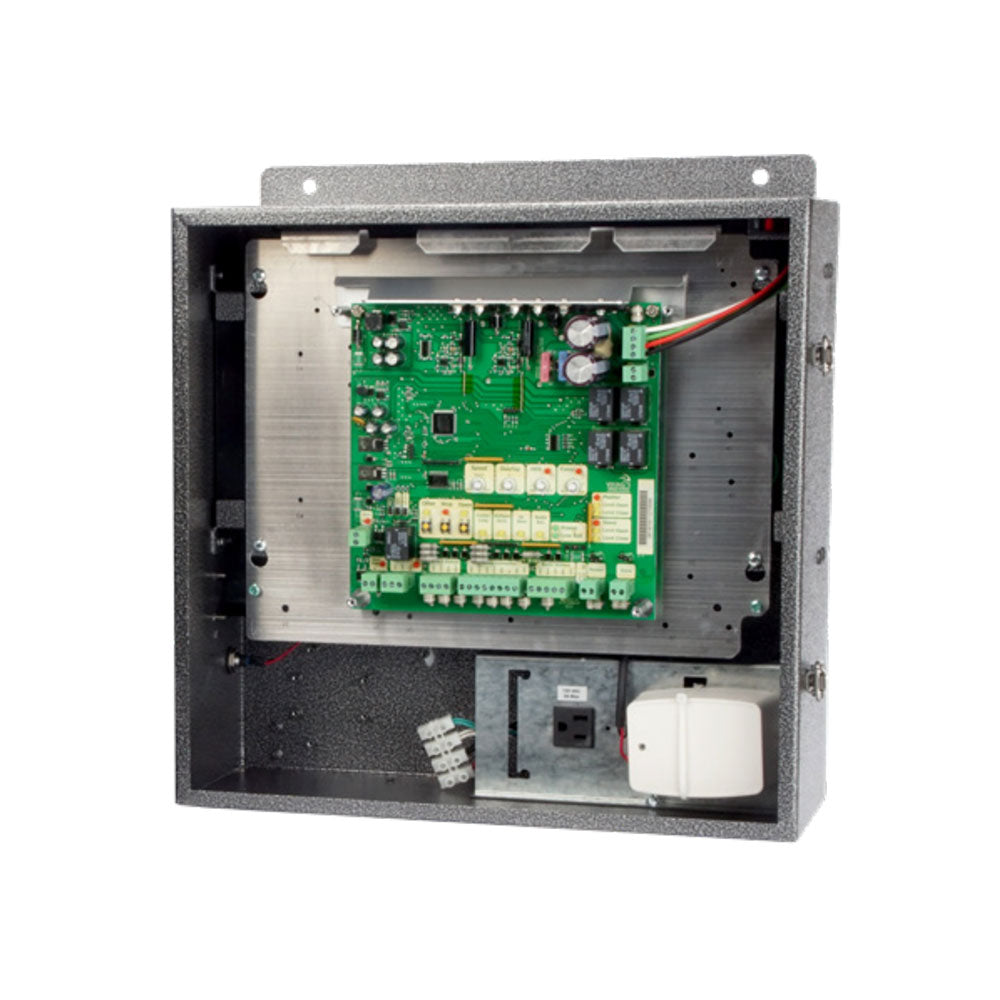
Step 2: Inspect the Control Board
Turn off power before touching any internal parts. Then look for:
-
Burn marks or melted spots.
-
Loose or rusty terminals.
-
Damaged connectors or wiring.
-
Swollen capacitors or moisture buildup.
If you find any of these, it’s best to replace the control board.
You can browse replacement control boards for LiftMaster, Viking, Linear, and other top brands on our site.

Step 3: Check Accessory Power Limits
Many control boards fail because too many devices draw power from them. Accessories like sensors and cameras all use current, and exceeding limits can overload the board.
According to ASE’s LiftMaster Operator Accessory Power Cheat Sheet, the board can safely power up to 500 mA total. Anything above that needs its own supply.
Safe to Power from the Control Board (≤ 500 mA Total)
-
Photo eyes: 20–50 mA
-
Wired keypads: 10–150 mA
-
Receivers: 50 mA
-
Edge receivers: 6–12 mA
-
Exit sensors: 30 µA–60 mA
-
Fire switch boxes: 15 mA
-
SOS sensors: 0.1–25 mA
Use a Separate Power Supply
-
Magnetic locks: 250–500 mA
-
Cameras: 200–1000 mA
-
Video intercoms: 80–300 mA
-
LED lights: 90–550 mA
-
Video keypads: 300–2000 mA
-
Long-range readers: 470 mA–1.8 A
If your accessories together exceed 500 mA, connect them to an external power supply instead of the board.
Step 4: Test Inputs and Outputs
With power on, use a voltmeter or continuity tester.
-
Inputs: Check “open/close” terminals for voltage when pressing a remote or switch.
-
Safety Inputs: Confirm your photo eyes and loops have steady voltage and react when triggered.
-
Outputs: Make sure the motor terminals send consistent voltage during operation.
If inputs work but outputs don’t, the control board’s relay or logic circuit is likely the issue.
Step 5: Reset the Control Board
Sometimes logic errors cause malfunctions after a power surge. Try a reset:
-
Turn off power at the breaker.
-
Wait 30 seconds.
-
Restore power and reprogram settings per the operator’s manual.
LiftMaster control boards also let you restore factory defaults using onboard buttons. Save your remote codes and timer settings first.
Step 6: When to Replace the Board
Replace your control board if:
-
Fuses blow even after accessories are removed.
-
The relay clicks but the motor stays off.
-
LEDs don’t light at all.
-
Several accessories lose power at once.
Running the gate with a damaged board can harm the motor or sensors, so replacement is usually safer.
Explore control boards and accessories at All Security Equipment to find the right fit for your operator.
Step 7: Prevent Future Issues
-
Stay under power limits: Keep total accessory draw below 500 mA.
-
Protect from weather: Seal outdoor enclosures and prevent water intrusion.
-
Use surge protection: A surge suppressor helps prevent lightning or power-spike damage.
-
Inspect annually: Tighten wires and check for corrosion.
-
Separate high-draw devices: Power cameras, locks, and lights from an external supply.
These small steps help prevent costly board replacements and extend your gate operator’s life.
Need Help with a Control Board?
If you’re unsure whether your problem is wiring, sensors, or the control board itself, we can help.
Contact All Security Equipment at (800) 730-8382 or visit AllSecurityEquipment.com for expert diagnostics and parts.
Our team can guide you through testing, choosing replacements, and ensuring your gate runs safely and reliably.