Skip to content

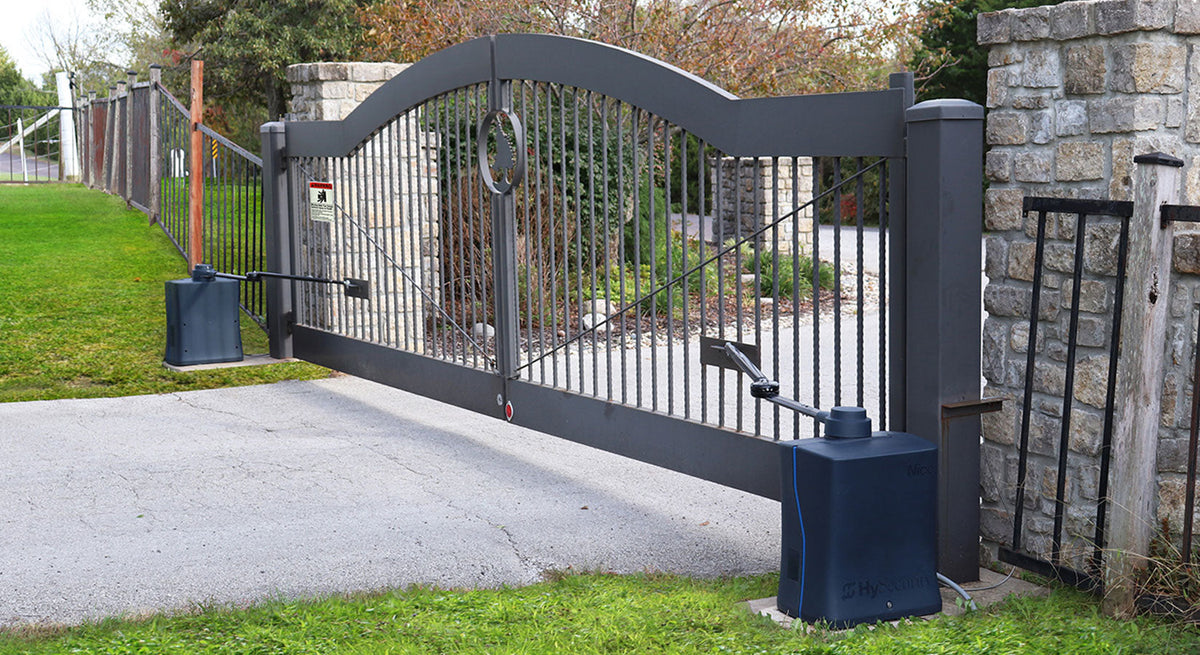
An automatic gate needs more than a reliable operator to function safely. As the gate opens and closes, its moving edges can create potential contact and entrapment hazards.
That’s where gate safety edges, also known as sensing edges or contact edges, come in.
These devices are designed to detect contact with an obstruction and communicate that condition to the gate operator, allowing the system to respond according to its safety programming.
But not every gate safety edge is the same.
Some are wired directly to the operator. Others use wireless transmitters and receivers. Certain systems are designed specifically for monitored entrapment protection, while others may be intended for different applications.
Choosing the right one depends on the gate, operator, installation environment, and safety requirements.
In this guide, we’ll explain how gate safety edges work, compare wired and wireless options, and walk through the important factors to consider before purchasing one.
What Is a Gate Safety Edge?
A gate safety edge is a contact-sensitive device installed along a designated edge of a moving gate or another area requiring contact detection.
When an object presses against the sensing edge, the device changes its electrical output or sends a signal through a compatible interface.
The gate operator then responds according to its configuration and the applicable safety function.
A typical sequence looks like this:
Gate contacts obstruction → Safety edge activates → Operator receives signal → Gate responds
Depending on the operator and the protected zone, the response may involve stopping, reversing, or restricting movement.
The exact behavior must follow the gate operator manufacturer’s requirements.
Safety edges are commonly used with:
- Sliding gates
- Swing gates
- Commercial gate systems
- Industrial gates
- High-traffic entrances
- Automated barrier and access systems
They are an important component of many automatic gate entrapment-protection systems.
Why Are Safety Edges Important for Automatic Gates?
Automatic gates can be large, heavy, and powerful.
As they move, they may create hazardous areas between the gate and nearby structures.
For example, a sliding gate may move toward a fixed post or fence section. A swing gate may move toward a wall, column, or other stationary object.
These areas can create potential entrapment hazards.
A properly selected and installed safety edge provides contact detection at designated locations.
However, it’s important to understand that a safety edge does not eliminate every hazard associated with an automatic gate.
The complete installation must be evaluated for all applicable entrapment zones, and additional protective devices may be necessary.
How Does a Gate Safety Edge Work?
Most gate sensing edges contain a pressure-sensitive mechanism within a flexible protective profile.
When the profile is compressed, the sensing mechanism changes state.
Depending on the design, this may involve:
- Electrical contact
- A resistive sensing circuit
- Another manufacturer-specific monitoring method
That change is communicated to the gate operator.
The operator must be configured to recognize the device and respond appropriately.
Example: Sliding Gate
Imagine a sliding gate moving toward its closed position.
An obstruction comes into contact with a sensing edge installed along the gate’s leading edge.
The edge activates and communicates the condition to the operator.
The operator responds according to its monitored safety input and programming.
This is different from a photoelectric sensor, which detects an obstruction without requiring physical contact.
Gate Safety Edge vs. Gate Photo Eye
Safety edges and photo eyes are both used in automatic gate safety systems, but they detect obstructions differently.
|
Feature |
Gate Safety Edge |
Gate Photo Eye |
|---|---|---|
|
Detection method |
Physical contact |
Optical beam interruption |
|
Contact required |
Yes |
No |
|
Typical installation |
Gate edge or designated contact area |
Across a protected detection area |
|
Moving-gate installation |
Common |
Depends on system |
|
Monitored options |
Yes |
Yes |
|
Primary function |
Contact detection |
Non-contact detection |
Neither device automatically replaces the other.
A complete gate installation may require multiple protective devices to address different entrapment zones.
For example, a sliding gate could use a monitored photo eye across a designated area and sensing edges at locations where contact hazards remain.
The appropriate configuration depends on the gate operator, installation geometry, and applicable safety requirements.
Types of Gate Safety Edges
Several characteristics distinguish one safety edge from another.
The most important are:
- Wired or wireless communication
- Monitored or non-monitored operation
- Sensing technology
- Profile size and construction
- Mounting configuration
- Operator compatibility
Let’s examine each.
1. Wired Gate Safety Edges
A wired safety edge uses an electrical connection to communicate with the gate operator or a compatible interface.
When the edge activates, the signal travels through the wired connection.
Advantages of Wired Safety Edges
Depending on the installation, wired systems may offer:
- Direct electrical communication
- No wireless transmitter battery to maintain
- Straightforward integration with compatible operator inputs
- Fewer radio-related considerations
Installation Considerations
The challenge is getting the wiring from the sensing edge to the operator.
This is particularly important when the edge is installed on a moving gate.
The installation must account for gate travel without allowing cables to become:
- Pinched
- Stretched
- Damaged
- Caught in moving components
For some installations, a wired edge is relatively straightforward.
For others, routing the cable safely can be more complicated.
When Should You Consider a Wired Safety Edge?
A wired safety edge may be appropriate when:
- A suitable wiring path is available
- The operator supports the required edge interface
- The installation allows reliable cable management
- The sensing edge can be connected according to manufacturer instructions
2. Wireless Gate Safety Edges
Wireless safety edge systems provide another way to communicate the condition of a sensing edge to the operator.
Instead of relying entirely on a cable running from the moving gate to the operator, the system uses compatible wireless components.
A simplified arrangement looks like:
Safety Edge → Wireless Transmitter → Receiver → Gate Operator
The transmitter communicates with a receiver connected to the operator’s safety interface.
This can be especially useful for moving gates where cable routing is difficult.
Advantages of Wireless Safety Edges
Depending on the product, advantages may include:
- Reduced need for moving communication cables
- Easier installation in certain gate configurations
- Flexible placement of sensing edges
- Compatibility with designated monitored safety systems
However, wireless doesn’t mean the installation requires no wiring.
The sensing edge must still connect to its transmitter, and the receiver must connect to the operator or compatible control interface.
What Should You Check Before Choosing Wireless?
Verify:
- Transmitter and receiver compatibility
- Gate operator compatibility
- Monitoring requirements
- Battery type and expected maintenance
- Communication range
- Environmental ratings
- Installation instructions
Wireless safety equipment should be selected as a complete compatible system.
Don’t assume that transmitters and receivers from different manufacturers will work together.
Wired vs. Wireless Gate Safety Edges
|
Feature |
Wired Safety Edge |
Wireless Safety Edge |
|---|---|---|
|
Communication |
Electrical wiring |
Compatible wireless system |
|
Moving cable requirements |
May be necessary |
Can reduce moving cable requirements |
|
Transmitter battery |
Generally not required |
May be required |
|
Receiver/interface |
Depends on system |
Usually required |
|
Installation complexity |
Depends on cable routing |
Depends on wireless system |
|
Monitored configurations |
Available |
Available |
|
Operator compatibility |
Must be verified |
Must be verified |
The best option depends on the installation.
A wireless system may simplify a moving-gate application, while a wired system may be more practical when a reliable cable path already exists.
3. Monitored Gate Safety Edges
One of the most important specifications is whether the safety edge is monitored.
A monitored safety edge is designed to work with a compatible gate operator or interface that checks the condition of the required entrapment-protection device.
This is important because detecting contact isn’t the only concern.
The system also needs to identify certain device or connection faults according to its monitoring design.
For example, a compatible monitored system may detect conditions such as:
- Disconnected safety equipment
- Wiring faults
- Communication failures
- Other faults supported by the monitoring method
The exact faults detected depend on the device and operator.
Why Does Monitoring Matter?
Modern automatic gate operators commonly require compatible monitored entrapment-protection devices.
These requirements are associated with standards such as UL 325, which addresses safety for door, gate, and similar operators.
However, simply purchasing a product described as monitored doesn’t guarantee compatibility.
The monitoring method must match the operator’s requirements.
4. Resistive Safety Edges
Some monitored sensing edges use a resistive circuit.
These are commonly described by their nominal resistance, such as 10K monitored safety edges.
The operator or compatible interface monitors the expected electrical condition of the circuit.
When the sensing edge activates or certain faults occur, the circuit condition changes.
The monitoring equipment interprets that change.
Are All 10K Safety Edges Compatible?
No.
Even when two products use the same nominal resistance, compatibility must still be verified.
Important considerations include:
- Operator requirements
- Monitoring interface
- Resistance tolerance
- Wiring configuration
- Device specifications
A matching resistance value alone doesn’t establish that the sensing edge is approved for the operator.
5. Safety Edge Profiles
Safety edges come in different shapes and sizes.
The flexible sensing profile is the part that responds to contact.
Profile selection can depend on:
- Gate construction
- Available mounting space
- Required sensing characteristics
- Contact surface
- Environmental conditions
- Manufacturer specifications
Some profiles are relatively compact, while others provide a larger compressible surface.
A larger profile isn’t automatically better.
The correct profile must be appropriate for the gate and intended protection function.
6. Gate Safety Edge Mounting Channels
Many sensing edges are installed using compatible mounting channels.
These channels secure the edge to the gate or supporting structure.
Depending on the system, mounting channels may be made from materials such as aluminum.
Before ordering, verify that the channel matches the sensing edge profile.
Also consider:
- Gate frame dimensions
- Available mounting surface
- Edge orientation
- Gate movement
- Manufacturer mounting requirements
The edge needs to remain securely attached throughout normal operation.
Safety Edges for Sliding Gates
Sliding gates are common applications for sensing edges.
A sliding gate travels horizontally, creating potential hazards around its moving edges and nearby stationary structures.
Depending on the installation, areas requiring evaluation may include:
- Leading closing edge
- Rear or opening travel area
- Fixed posts
- Fence sections
- Other adjacent structures
Leading Edge Protection
The leading edge is the portion of the gate that moves toward the closed position.
A sensing edge may be installed at a designated location to detect contact with an obstruction.
Rear Edge Protection
The opposite end of the gate may also create hazards during opening.
This is especially important where the moving gate approaches a fixed object.
The installation should be evaluated for both opening and closing movement.
Do Sliding Gates Need Multiple Safety Edges?
They may.
The required number and placement depend on the gate’s entrapment zones, operator, and protective devices being used.
Don’t assume one sensing edge protects the entire gate.
Safety Edges for Swing Gates
Swing gates rotate around hinges.
This creates a different set of potential hazards.
Depending on the installation, a swing gate may move toward:
- A wall
- A fence
- A column
- A fixed post
- Another structure
Sensing edges may be used at designated locations where contact protection is appropriate.
However, the gate’s complete swing path must be evaluated.
A safety edge installed on one part of the gate doesn’t automatically protect every area around it.
Swing Gate Operator Compatibility
If you’re installing a safety edge on an existing swing gate, identify the operator manufacturer and model first.
Then determine which monitored safety devices and interfaces are supported.
Browse automatic gate operators to explore gate operator options.
How Many Safety Edges Does an Automatic Gate Need?
There is no universal number.
The answer depends on the installation.
Important factors include:
- Swing or slide gate
- Opening and closing directions
- Gate geometry
- Nearby structures
- Entrapment zones
- Operator requirements
- Other protective devices
A gate may require multiple independent means of protection for different zones.
The number and placement of safety devices should be determined from the complete installation and applicable requirements.
How to Choose a Compatible Gate Safety Edge
Compatibility is one of the most important purchasing considerations.
Start with the gate operator.
Step 1: Identify the Operator
Find the manufacturer and exact model.
If available, also identify the control board and relevant version information.
Step 2: Review Safety Requirements
Check the manufacturer’s installation manual.
Identify the required entrapment-protection devices and supported interfaces.
Step 3: Determine the Monitoring Method
Does the operator require:
- A specific monitored resistive edge?
- A manufacturer-approved wireless edge system?
- A designated safety interface?
- Another approved configuration?
Follow the manufacturer’s specifications.
Step 4: Select the Edge Profile
Choose a profile suitable for the intended mounting location and sensing application.
Step 5: Determine the Communication Method
Will the edge use a wired connection or a compatible wireless system?
Step 6: Verify All Required Components
Some installations may require additional equipment, including:
- Transmitters
- Receivers
- Interface modules
- Mounting channels
- End caps
- Compatible cables
Make sure you’re purchasing the complete system rather than only one component.
Can You Use a Universal Gate Safety Edge?
The word universal can be misleading when applied to safety equipment.
A product may support multiple operators or applications, but that doesn’t mean it is compatible with every gate operator.
Compatibility depends on the electrical interface, monitoring method, and manufacturer requirements.
Before purchasing, verify the exact combination of:
Gate Operator + Safety Edge + Interface/Receiver
Don’t rely solely on a general compatibility claim.
Can You Replace an Existing Safety Edge With a Different Brand?
Potentially, but only when the replacement is approved or confirmed compatible for the intended application.
Start by identifying:
- Existing edge manufacturer
- Existing model
- Operator manufacturer
- Operator model
- Monitoring method
- Wired or wireless interface
Then compare the replacement against the manufacturer’s compatibility requirements.
A physically similar sensing edge may use a different electrical monitoring method.
Gate Safety Edge Power Requirements
Safety edges don’t all have the same electrical requirements.
A passive wired sensing edge may not require a separate local power supply.
However, wireless transmitters, receivers, and interface modules may require batteries or electrical power.
Before installation, verify:
- Operating voltage
- Current requirements
- Battery specifications
- Operator accessory power availability
- Wiring distance
Don’t assume the operator control board can power every accessory connected to the system.
Outdoor Safety Edge Considerations
Automatic gates are exposed to outdoor conditions.
Safety edges may encounter:
- Rain
- Humidity
- Dust
- Sunlight
- Temperature changes
- Physical contact
- Repeated gate movement
Choose products designed for the installation environment.
Check the manufacturer’s specifications for environmental suitability and operating temperature.
Also consider how the sensing edge and mounting hardware will be exposed during daily operation.
Gate Safety Edge Maintenance
Safety edges should be inspected and tested according to the manufacturer’s instructions.
Over time, equipment may experience:
- Physical damage
- Loose mounting hardware
- Damaged cables
- Water intrusion
- Worn sensing profiles
- Battery depletion in wireless components
The system should be tested to confirm that the operator responds correctly when the sensing edge is activated.
Any damaged or malfunctioning safety equipment should be repaired or replaced before returning the gate to normal automatic operation.
Why Is My Gate Safety Edge Triggering?
If a gate stops or reverses unexpectedly, a safety-edge input may be involved.
Possible causes include:
- Physical contact with an obstruction
- Damaged sensing edge
- Loose or damaged wiring
- Wireless communication fault
- Low transmitter battery
- Faulty receiver or interface
- Incorrect installation
- Monitoring fault
The appropriate troubleshooting process depends on the equipment.
Check the operator’s diagnostic information and follow the manufacturer instructions.
Don’t Bypass the Safety Edge
A malfunctioning sensing edge shouldn’t be disconnected or bypassed simply to restore normal gate movement.
The operator may be restricting movement because it has detected a required safety-device fault.
Identify and correct the underlying problem.
Common Gate Safety Edge Buying Mistakes
Choosing by Length Alone
The sensing edge needs to match the application, mounting configuration, and operator requirements—not just the gate dimensions.
Ignoring Monitoring Compatibility
A safety edge that physically fits may not communicate correctly with the operator.
Forgetting Wireless Components
A wireless sensing edge system may require a specific transmitter, receiver, and interface.
Using the Wrong Mounting Channel
The mounting channel must be compatible with the edge profile.
Assuming One Edge Protects Every Hazard
The entire gate installation must be evaluated for entrapment zones.
Overlooking Outdoor Conditions
Choose equipment designed for the installation environment.
Replacing a Monitored Edge With an Incompatible Device
A replacement must meet the operator’s required monitoring and safety specifications.
Gate Safety Edge Buying Checklist
Before purchasing, collect the following information.
Gate
- Swing or slide?
- Residential or commercial?
- Gate dimensions?
- Which areas require contact detection?
- Moving or stationary mounting location?
Operator
- Manufacturer?
- Exact model?
- Control board?
- Supported monitored devices?
- Required safety interface?
Safety Edge
- Wired or wireless?
- Monitoring method?
- Profile dimensions?
- Required length?
- Outdoor suitability?
- Mounting channel required?
Additional Components
- Wireless transmitter?
- Receiver?
- Interface module?
- Batteries?
- Cable?
- End caps?
- Mounting hardware?
Installation
- Suitable mounting surface?
- Safe cable routing?
- Wireless communication conditions?
- Required safety-device testing?
Frequently Asked Questions
What is a gate safety edge?
A gate safety edge is a contact-sensitive device that detects pressure against a designated gate edge and communicates that condition to the automatic gate operator.
What is the difference between a safety edge and a photo eye?
A safety edge detects physical contact. A photo eye detects an obstruction when an object interrupts its optical beam.
Do automatic gates need safety edges?
Some installations require sensing edges as part of their entrapment-protection system. The exact requirements depend on the gate, operator, entrapment zones, and applicable standards.
What is a monitored gate safety edge?
A monitored safety edge works with compatible equipment that checks the condition of the safety device or its communication circuit. The monitoring method must be compatible with the operator.
Are wireless gate safety edges reliable?
Properly selected and installed wireless safety-edge systems can be suitable for automatic gate applications. Reliability depends on product design, compatibility, installation, communication conditions, and maintenance.
Can I install a wireless safety edge on any gate operator?
Not automatically. The transmitter, receiver, monitoring interface, and operator must be compatible.
What is a 10K safety edge?
A 10K safety edge typically uses a nominal 10-kilohm resistive monitoring circuit. The exact compatibility requirements depend on the operator and interface.
Can I replace a wired safety edge with a wireless one?
Potentially, if a compatible wireless monitored system is available for the gate operator and intended safety function.
How many safety edges does a sliding gate need?
There isn’t a universal number. The required protection depends on the gate’s entrapment zones, movement, operator, and other installed safety devices.
Why does my gate reverse when the safety edge is activated?
The operator may be responding to the safety-edge input as designed. The exact response depends on the operator and the safety function associated with that input.
Can a safety edge replace a photo eye?
Not necessarily. The required protective devices depend on the installation and the entrapment zones that need to be addressed.
Find Gate Safety Equipment at All Security Equipment
Choosing a gate safety edge starts with understanding the complete automatic gate system.
The correct selection process is:
Gate Type → Entrapment Zones → Operator Requirements → Compatible Safety Edge → Installation
Whether you’re working on a residential swing gate or a commercial sliding gate, selecting compatible safety equipment is essential.
At All Security Equipment, you’ll find gate operators, safety accessories, and access-control equipment for residential and commercial applications.
Explore:
Shop Gate Operator Accessories
Need Help Choosing a Compatible Safety Edge?
Before purchasing, identify your gate operator manufacturer and model, gate type, and the location where the sensing edge will be installed.
Contact the All Security Equipment team with your equipment details. We can help you identify compatible gate safety edge products and the additional components your installation may require.