Skip to content

Buying a gate operator is a major step toward automating a driveway, parking entrance, commercial property, or gated community, but the operator is only one part of the complete system.
A properly designed automatic gate may also need access controls, safety devices, vehicle detection, emergency access equipment, power components, mounting hardware, and other accessories.
Exactly what you need depends on the gate, property, traffic, and how people are expected to enter and exit.
If you’re planning an installation, use this automatic gate system checklist from All Security Equipment to understand the major components you may need beyond the gate operator itself.
What Do You Need for an Automatic Gate?
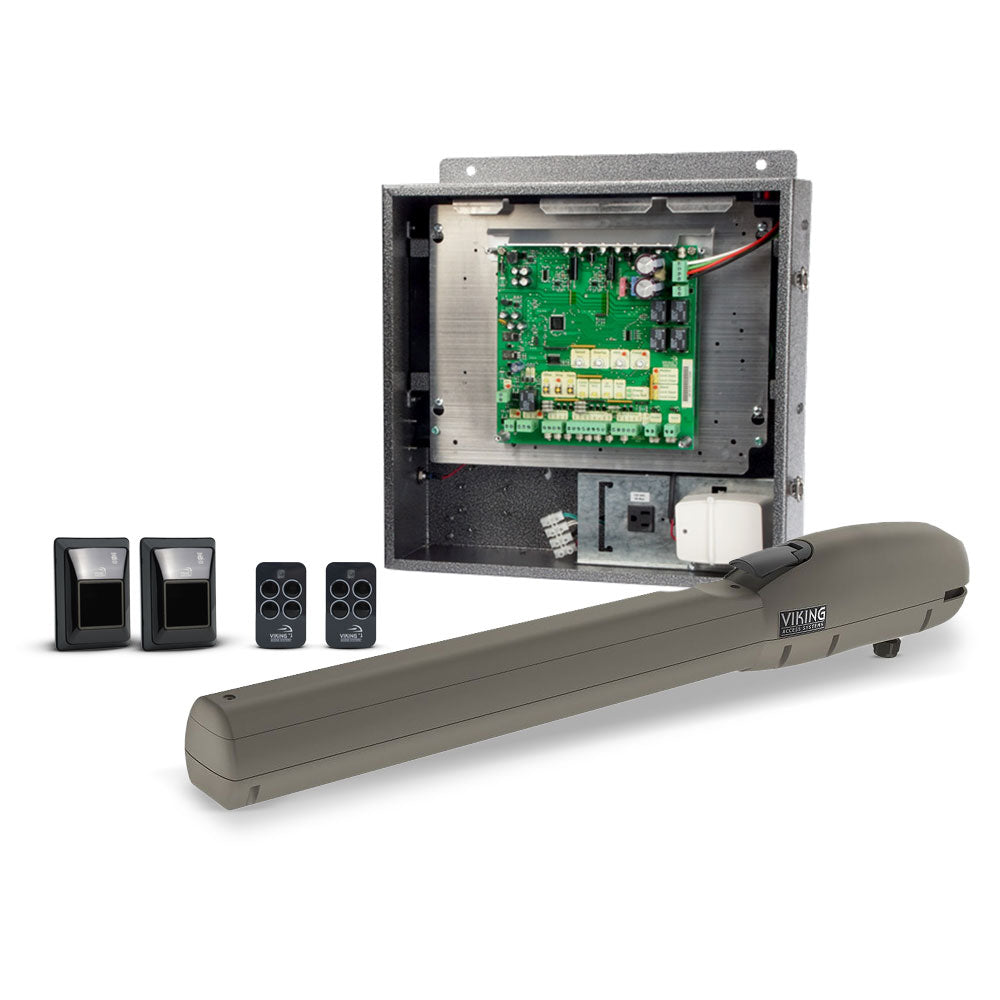
A complete automatic gate system can include:
- Gate operator
- Access control
- Remotes and receivers
- Keypads
- Telephone or video entry
- Vehicle detection
- Photo eyes
- Safety edges
- Emergency access devices
- Backup batteries
- Solar equipment
- Gate hardware
- Mounting brackets
- Pedestals
- Locks
- Warning devices
Not every installation requires every item on this list.
A residential driveway serving one family, for example, will have very different requirements from a commercial entrance processing hundreds of vehicles.
The goal is to design the entire gate system around the application, rather than selecting an operator first and figuring out everything else afterward.
1. Start With the Gate Operator
The gate operator is the equipment responsible for automatically moving the gate.
The first decision is generally between a:
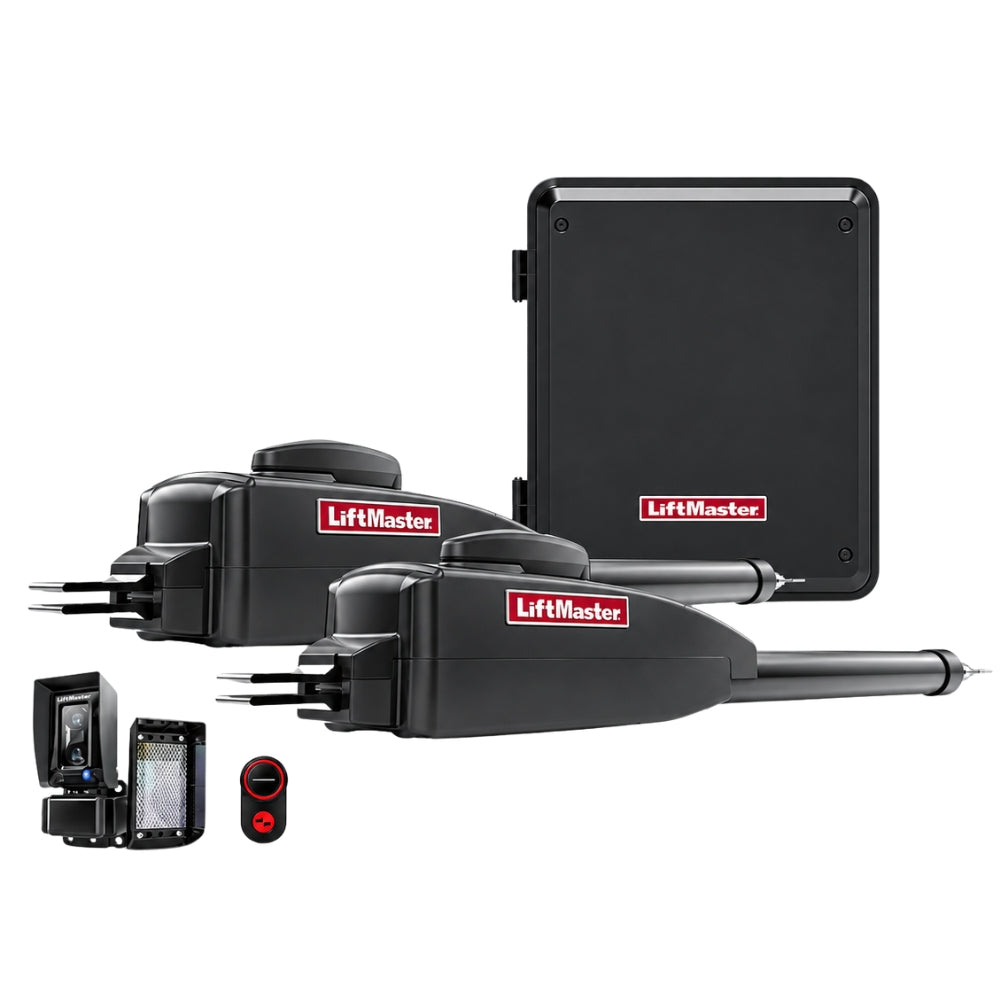
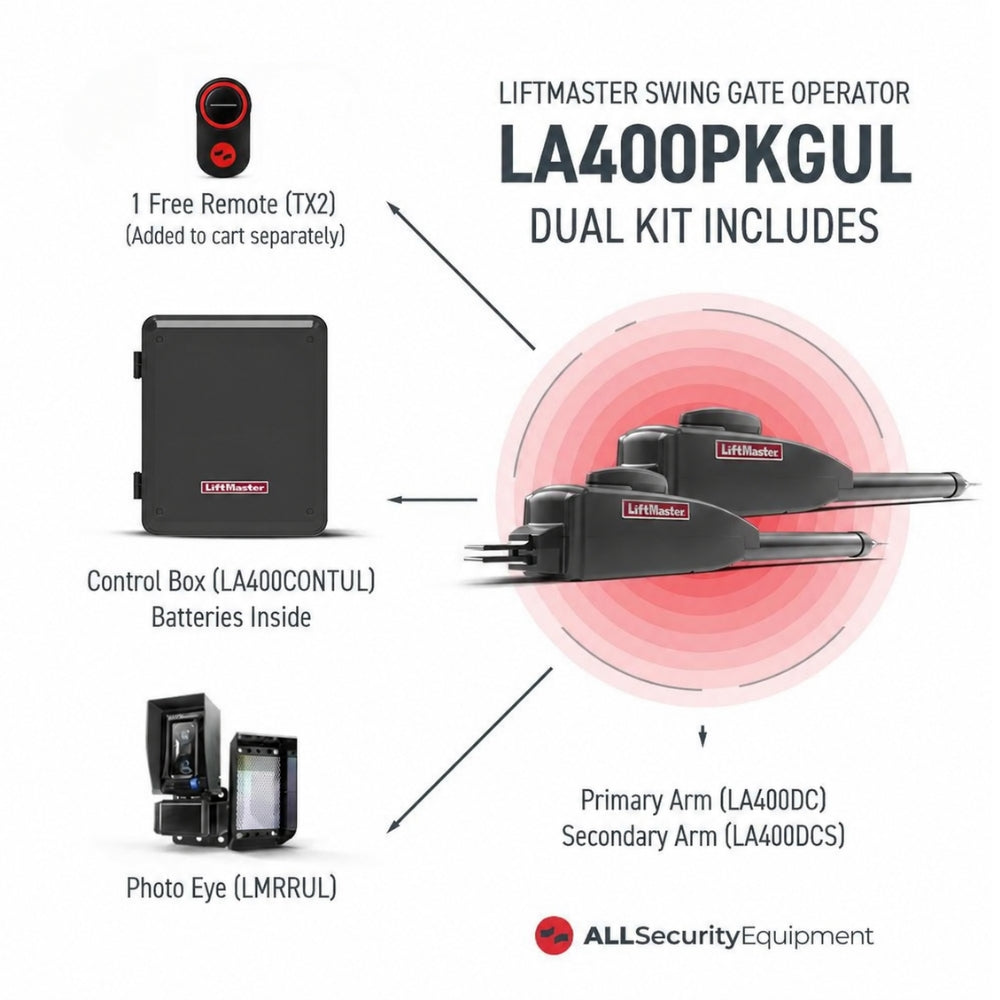
Swing Gate Operator
or
Slide Gate Operator
Swing Gate Operators
Swing operators automate gates that rotate around hinges.
They are commonly used for:
- Residential driveways
- Estates
- Gated communities
- Commercial properties
- Rural entrances
Depending on the gate, the installation may require one operator for a single gate or two operators for a dual-gate configuration.
Slide Gate Operators
Slide operators move a gate horizontally alongside the fence.
They are frequently used for:
- Commercial entrances
- Industrial facilities
- Parking areas
- Warehouses
- Gated communities
- Properties where there isn’t enough room for a gate to swing
Before selecting an operator, determine the gate’s length, weight, construction, expected traffic, and power requirements.
The operator should be selected according to the manufacturer’s specifications for the application, not simply by choosing the largest or most powerful model available.
2. Decide How People Will Open the Gate
Once you have an operator, the next question is:
How will authorized users tell it to open?
This is where access control enters the system.
There are several options.
Remote Controls
Remotes are one of the simplest ways to control an automatic gate.
They are particularly common for:
- Residential driveways
- Small businesses
- Employee entrances
- Private parking areas
Press the authorized remote button, the receiver recognizes the signal, and the gate receives an open command.
Don’t Forget the Receiver
A remote needs a compatible receiver unless the operator already has the required receiver functionality built in.
When purchasing additional or replacement remotes, verify compatibility with the receiver or operator.
Keypads
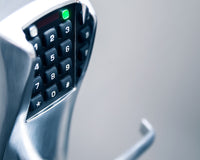
Keypads allow authorized users to enter a PIN rather than carrying a remote.
They can be useful for:
- Residential gates
- Employee entrances
- Pedestrian gates
- Contractors
- Service personnel
- Small commercial properties
Depending on the keypad, administrators may be able to assign multiple user codes rather than relying on one shared PIN.
Card and Credential Readers
Businesses and managed properties may require more control over individual users.
Cards, key fobs, and other credentials can allow administrators to issue access individually and deactivate credentials when they are no longer needed.
RFID Vehicle Access
For properties with frequent vehicle traffic, long-range RFID can provide another approach.
Authorized vehicles carry compatible credentials that can be detected as they approach the gate.
This can be useful for:
- HOAs
- Apartment communities
- Employee parking
- Warehouses
- Commercial facilities

Telephone and Video Entry
What happens when the person approaching the gate isn’t a resident or employee?
Visitors, delivery drivers, contractors, and customers may need a way to request access.
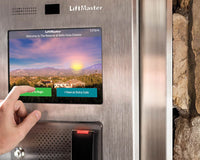
Telephone entry and video intercom systems can allow them to contact an authorized person before the gate is opened.
These systems are especially useful for:
- Apartment communities
- HOAs
- Commercial properties
- Multi-tenant facilities
- Gated residential properties
The right access method depends on who uses the property and how much control you need over individual users.
3. Plan How Vehicles Will Exit
Entry gets most of the attention when planning an automatic gate.
But you also need to decide:
How will vehicles get out?
In many applications, exiting vehicles should be able to trigger the gate without entering another credential.
This can be accomplished using vehicle detection equipment.
Vehicle Detection Loops
An inductive loop is installed in or beneath the roadway and connected to a loop detector.
When a vehicle enters the detection area, the system can provide an appropriate signal to the gate control system.
Loops are commonly used for:
- Free exit
- Vehicle presence detection
- Gate operation logic
- Traffic control applications
Probe and Magnetometer Sensors
Some installations use vehicle sensors that detect changes caused by a nearby vehicle.
These can be particularly useful where installing a traditional pavement loop is difficult or undesirable.
Radar and Above-Ground Detection
Radar and other above-ground detection technologies provide additional options for detecting vehicles without relying on a traditional buried loop.
The right solution depends on the entrance layout, operator, roadway, environment, and required detection behavior.
4. Add the Required Entrapment Protection
An automatic gate is a large moving object.
That makes safety devices one of the most important parts of the system.
Depending on the gate operator, configuration, and application, monitored entrapment-protection devices may be required.
Two common technologies are:
Photoelectric Sensors
Photo eyes create a detection zone across an opening or other protected area.
If the beam is interrupted, the gate control system can respond according to its programming and installation configuration.
Photo eyes are commonly used around automatic gates to help detect people, vehicles, or objects within protected areas.
Safety Edges
A monitored safety edge is installed on an appropriate gate surface or potential entrapment area.
When the edge is activated, the operator receives a signal and responds accordingly.
Safety edges can be particularly important in areas where a moving gate could create a pinch, crush, or entrapment hazard.
Wireless Safety Edge Systems
Running wires between a moving gate and the operator control box isn’t always practical.
Wireless edge transmitters can provide communication between compatible monitored safety edges and receivers without requiring a communication cable to move with the gate.
The exact number, type, and placement of entrapment-protection devices must be determined according to the operator manufacturer’s instructions, gate configuration, and applicable safety requirements.
Safety devices should never be treated as optional accessories simply because the gate can physically operate without them.
5. Consider Gate Locks
The operator moves the gate.
But depending on the installation, you may also need additional equipment to secure it when closed.
Magnetic Locks
A magnetic lock can provide additional holding force when the gate is in the closed position.
Maglocks are used in certain gate and access-control installations where additional locking is required.
However, they should be treated as a separate powered component—not simply another small accessory connected wherever power is available.
The maglock’s voltage, current requirements, control method, release behavior, power supply, and system integration all need to be considered.
Mechanical Gate Hardware
The gate itself also relies on properly functioning mechanical components.
Depending on the gate, this may include:
- Hinges
- Rollers
- Guide rollers
- V-groove wheels
- Tracks
- Chains
- Brackets
- Latches
- Stops
- Cantilever hardware
A gate operator should not be expected to compensate for damaged, misaligned, or poorly installed gate hardware.
The gate should move correctly before automation is added.
6. Plan for Emergency Access
Automatic gates control access, but emergency responders may need to enter without using the property’s normal credentials.
Depending on the property and local requirements, the system may need emergency access equipment.
Examples can include:
- Fire department access boxes
- Emergency key switches
- Siren-operated access devices
- Knox-compatible solutions
- Other locally required emergency access systems
For example, a compatible siren-operated device can detect the sound pattern of an approaching emergency vehicle and provide a signal to the gate system.
The exact requirements vary by jurisdiction.
Before completing an automatic gate installation, verify requirements with the local Authority Having Jurisdiction (AHJ) and follow applicable codes and manufacturer instructions.
7. Determine the Power Source
An automatic gate needs reliable power.
The appropriate solution depends heavily on where the gate is located.
AC Power
Where utility power is readily available, the operator may be connected to the appropriate electrical supply according to manufacturer requirements and applicable electrical codes.
Battery Backup
Power outages shouldn’t be an afterthought.
Many gate operators support or include battery backup.
Battery backup can allow the system to continue operating for a limited period when primary power is unavailable.
Actual performance depends on factors such as:
- Operator
- Battery capacity and condition
- Gate size
- Number of cycles
- Connected accessories
- Environmental conditions
Solar Power
For remote entrances, extending utility power to the gate can require trenching, conduit, wiring, and substantial labor.
A compatible solar solution may be a better fit in some applications.
A solar gate system can include:
Solar Panel → Charge Controller/System Electronics → Battery → Gate Operator
However, solar systems need to be properly sized.
Consider:
- Geographic location
- Available sunlight
- Panel orientation
- Gate cycles per day
- Operator consumption
- Battery capacity
- Connected accessories
Adding more access control and safety equipment also affects the system’s total power requirements.
8. Check Which Accessories Need Their Own Power
This is an important part of planning that can easily be overlooked.
Just because an accessory connects to the gate operator doesn’t necessarily mean it should receive its operating power from the operator’s control board.
Some low-power devices may be designed to use accessory power available from a compatible operator.
Other equipment can require a dedicated power supply.
For example, equipment such as the following may require separate power depending on the specific system:
- Magnetic locks
- Cameras
- Video intercoms
- LED lighting
- Video keypads
- Long-range readers
Meanwhile, certain compatible low-power accessories may be powered from an operator’s accessory outputs when permitted by the manufacturer.
Never assume compatibility based only on matching voltage.
Check:
- Required voltage
- Current draw
- Available accessory output
- AC vs. DC requirements
- Operator manufacturer instructions
- Accessory manufacturer instructions
Planning this before installation can prevent power problems later.
9. Consider a Pedestal for Vehicle Access Equipment
A keypad or reader needs to be positioned where drivers can actually use it.
For vehicle entrances, that often means installing the device on a pedestal.
Pedestals can support equipment such as:
- Keypads
- Card readers
- Telephone entry systems
- Intercoms
- Access control stations
Before selecting one, consider:
- Device dimensions
- Mounting pattern
- Driver reach
- Vehicle type
- Installation height
- Conduit routing
- Weather exposure
For entrances serving different vehicle types, placement becomes especially important.
A reader positioned perfectly for a passenger car may be inconvenient for a delivery truck.
10. Think About Communication and Connectivity
Modern gate systems can involve more than dry contacts and local controls.
Depending on the access-control platform, an installation may use:
- Ethernet
- Wi-Fi
- Cellular connectivity
- Bluetooth
- Wiegand
- Wireless bridges
- Cloud platforms
Connectivity becomes particularly important when the property requires:
- Remote administration
- Mobile credentials
- Video
- Visitor management
- User databases
- Remote system monitoring
What If Running Communication Cable Is Difficult?
Sometimes the gate or remote access device is far from the main access control panel.
Running communication cable could require:
- Trenching
- Drilling
- Conduit
- Pavement work
- Additional labor
In certain compatible installations, a long-range wireless bridge can provide an alternative to a physical communication cable.
This can be particularly valuable for:
- Remote gates
- Parking entrances
- Existing properties
- Historic buildings
- Difficult retrofit installations
Planning communication requirements early can prevent the access-control portion of the project from becoming an unexpected installation challenge.
11. Don’t Forget Installation Hardware
Sometimes the smallest component can stop an installation.
Before arriving at the jobsite, confirm that you have the required:
- Operator brackets
- Mounting plates
- Chains
- Chain brackets
- Gate stops
- Bolts and fasteners
- Conduit
- Junction boxes
- Wire
- Pedestals
- Mounting posts
- Receiver antennas
- Weatherproof enclosures
- Signs
The exact hardware depends on the operator and installation.
Review the manufacturer’s installation manual and parts list before beginning the job.
Automatic Gate Checklist by Application
The easiest way to understand the complete system is to look at a few examples.
Residential Driveway Gate
A residential system might include:
Gate Operator
Remote Controls
Keypad
Photo Eyes / Required Entrapment Protection
Vehicle Exit Sensor
Battery Backup
Optional additions could include:
- Smartphone access
- Video intercom
- Solar power
- Additional remotes
- Emergency access equipment
Gated Community or HOA
A more advanced community entrance might include:
Commercial Gate Operator
Resident Access Control
RFID or Mobile Credentials
Video/Telephone Entry for Visitors
Vehicle Detection
Photo Eyes
Safety Edges
Emergency Access
Battery Backup
Network/Cloud Connectivity
The system needs to manage two different groups particularly well:
authorized residents and visitors.
Commercial Facility
A commercial gate system might include:
Commercial/High-Cycle Operator
Employee Access Control
Vehicle Detection
Photo Eyes
Safety Edges
Emergency Access
Battery Backup
Management/Communication System
Depending on the facility, RFID may also be used for employees, fleet vehicles, or other authorized traffic.
Remote or Rural Entrance
A remote gate could include:
Solar-Compatible Gate Operator
Solar Panel
Battery System
Remote Controls
Keypad
Vehicle Exit Sensor
Required Safety Devices
For these installations, total power consumption becomes particularly important because every connected device can affect the solar system’s energy requirements.
Automatic Gate System Shopping Checklist
Before ordering equipment, collect this information:
Gate
☐ Swing or slide
☐ Single or dual gate
☐ Gate length
☐ Approximate gate weight
☐ Gate construction
☐ Gate moves freely
Usage
☐ Residential or commercial
☐ Estimated daily cycles
☐ Number of users
☐ Vehicle and/or pedestrian access
Access
☐ Remotes
☐ Keypad
☐ Card/fob reader
☐ RFID
☐ Mobile access
☐ Telephone/video entry
Vehicle Detection
☐ Exit loop
☐ Presence loop
☐ Probe sensor
☐ Radar/above-ground detection
Safety
☐ Photo eyes
☐ Safety edges
☐ Wireless edge equipment
☐ Required warning devices
Power
☐ AC power
☐ Battery backup
☐ Solar
☐ Dedicated accessory power supplies
Emergency Access
☐ Fire department access
☐ Key switch
☐ Siren-operated access
☐ Local AHJ requirements confirmed
Hardware
☐ Mounting brackets
☐ Gate hardware
☐ Pedestals
☐ Chain/track components
☐ Conduit and wiring
☐ Weatherproof enclosures
Frequently Asked Questions
What do I need to install an automatic gate opener?
At minimum, you’ll need a suitable gate and compatible gate operator, but a complete installation can also require access controls, entrapment-protection devices, vehicle detection, power equipment, mounting hardware, and emergency access components. Requirements depend on the application and operator.
Do automatic gates need safety sensors?
Automatic vehicular gates must be installed according to the gate operator manufacturer’s instructions and applicable safety standards. Depending on the system and entrapment zones, monitored devices such as photo eyes and safety edges may be required.
Do I need a loop detector for an automatic gate?
Not every gate uses an inductive loop, but vehicle detection is common in automatic gate systems. Loops can be used for functions such as free exit or vehicle presence. Other technologies, including probe and radar detection, may also be available.
Can I add a keypad to any gate opener?
Many gate operators can work with external access-control equipment, but compatibility should always be verified. Check the keypad’s output, power requirements, operator inputs, and manufacturer instructions before installation.
Does a gate opener need a separate receiver for remotes?
It depends on the operator. Some operators include compatible receiver functionality, while others require an external receiver. Always confirm which radio system and remotes the operator supports.
Can I power all gate accessories from the operator control board?
No. Accessory power is limited, and some devices should have their own power supply. Always compare each accessory’s voltage and current requirements with the operator manufacturer’s specifications.
What happens to an automatic gate during a power outage?
This depends on the system. Some operators incorporate battery backup, while others may provide manual release or other emergency operation methods. Check the specific operator before purchasing if continued operation during an outage is important.
Can an automatic gate use solar power?
Many gate operators are compatible with solar configurations, but the system needs to be properly sized based on available sunlight, geographic location, daily cycles, batteries, and connected accessories.
Build the Complete Gate System With All Security Equipment
An automatic gate is much more than a motor opening and closing a gate.
The best systems bring together gate automation, access control, vehicle detection, safety, emergency access, power, and reliable gate hardware.
Planning those components as one system can make equipment selection easier and help avoid discovering halfway through an installation that an important part is missing.
At All Security Equipment, you can find the components needed to build complete residential and commercial gate systems, including:
Gate Operators | Access Control | Remotes & Receivers | Keypads | Photo Eyes | Safety Edges | Vehicle Detection | Emergency Access | Solar Equipment | Batteries | Pedestals | Gate Hardware | Replacement Parts
Get Everything You Need for Your Next Gate Installation
Already know what your project requires? Shop All Security Equipment to find gate automation and access-control products from leading manufacturers.
Still putting your system together?
Contact the All Security Equipment team with your gate specifications and project requirements. We’ll help you identify the equipment you need so you can order with confidence and get the installation moving.