Skip to content


The best 24-hour gyms barely have staff. What they have is a door that knows exactly who’s allowed in, at 3 a.m., without anyone watching it.
That’s the whole job of a gym access control system. It checks a member’s status at the door, opens it for the people who’ve paid, keeps everyone else out, and logs every entry — so you can run the place around the clock without a front desk manning it. Get the hardware right and the model works. Get it wrong and you’re either locking out paying members or letting freeloaders share one fob.
This guide covers how gym access control actually works, the entry methods worth knowing, how the hardware ties into your membership software, and the gear you’ll need to run a 24/7 floor.
What a gym access control system actually does
Strip away the marketing and it comes down to three jobs:
-
Entry method. It gives each member a credential — a key fob, a card, a code, or their phone — and reads it at the door.
-
Automated enforcement. It syncs with your membership software, so an expired plan or a failed payment quietly stops working at the door. No awkward conversation required.
-
24/7 capability. It runs unstaffed, logs who came and went, and flags problems like “tailgating,” where two people slip in on one scan.
Do those three well and the front desk stops being the gatekeeper. The door is.
Entry methods, and which one fits your gym
There’s no single best credential — it depends on your members and how staffed the place is. The common options:
-
Key fobs and RFID cards. The workhorse of gym access. Cheap to issue, easy to revoke the moment a membership lapses, and dead simple for members to use. Most 24/7 gyms run on these. Browse ASE’s key fob and card access systems.
-
Mobile credentials. The member’s phone becomes the key, often through an app or a QR code. Nothing physical to hand out or replace, which cuts your admin down — worth it for newer or app-first gyms.
-
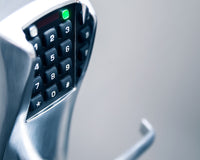
PIN keypads. A code on a keypad is a solid backup or a low-traffic-door option that doesn’t need hardware issued to each person. See the access control keypads.
-
Biometrics. A fingerprint or face read ties entry to the actual person, not a shareable card. It’s the answer to buddy-sharing, and it shows up on premium and higher-security setups.
If you’re outfitting a typical 24/7 gym, fobs for the base and a mobile option for the members who’d rather use their phone covers almost everyone without overcomplicating it.
The unstaffed-gym problem nobody mentions in the demo
Running 24/7 with no one at the desk creates one specific headache: how do you stop one paying member from letting their friends in? That’s tailgating, and it’s where the money leaks.
A few things close the gap:
-
Turnstiles or a controlled entry that only lets one person through per valid scan.
-
Anti-passback, which stops the same credential from being used twice in a row without an “exit” in between — so a fob can’t be passed back through the door.
-
Entry logging and capacity counts, so you can see exactly who was in the building during an incident and how busy each hour really gets.
For a staffless floor, the physical entry point matters as much as the software behind it. A slick app doesn’t help if the door lets two people through on one tap.
How the hardware talks to your gym software
Here’s the part that trips up most buyers, and it’s the piece worth understanding before you spend anything.
The platforms that rank for gym access — GymMaster, Gym Assistant, Kisi, Avigilon — are mostly software. The real magic is the sync: your membership system already knows who’s paid, and the access hardware is what turns that knowledge into a door that opens or doesn’t. Membership lapses in the billing software, the fob stops working at the reader. Payment clears, access comes back. No manual list to update.
That sync only works if your hardware speaks the right language. Readers and controllers that support open standards like OSDP (instead of being locked to one brand’s cloud) let you connect the door layer to whichever gym-management platform you run — Mindbody, ABC Glofox, PushPress, or the access software itself. Buy hardware that plays nicely with others and you’re never trapped when you switch software.
That’s where a supplier like ASE fits: the readers, controllers, credentials, and locks are the physical layer that makes the software’s rules real at the door.
What you’ll actually need
A working gym setup is a short hardware list, not a mystery:
-
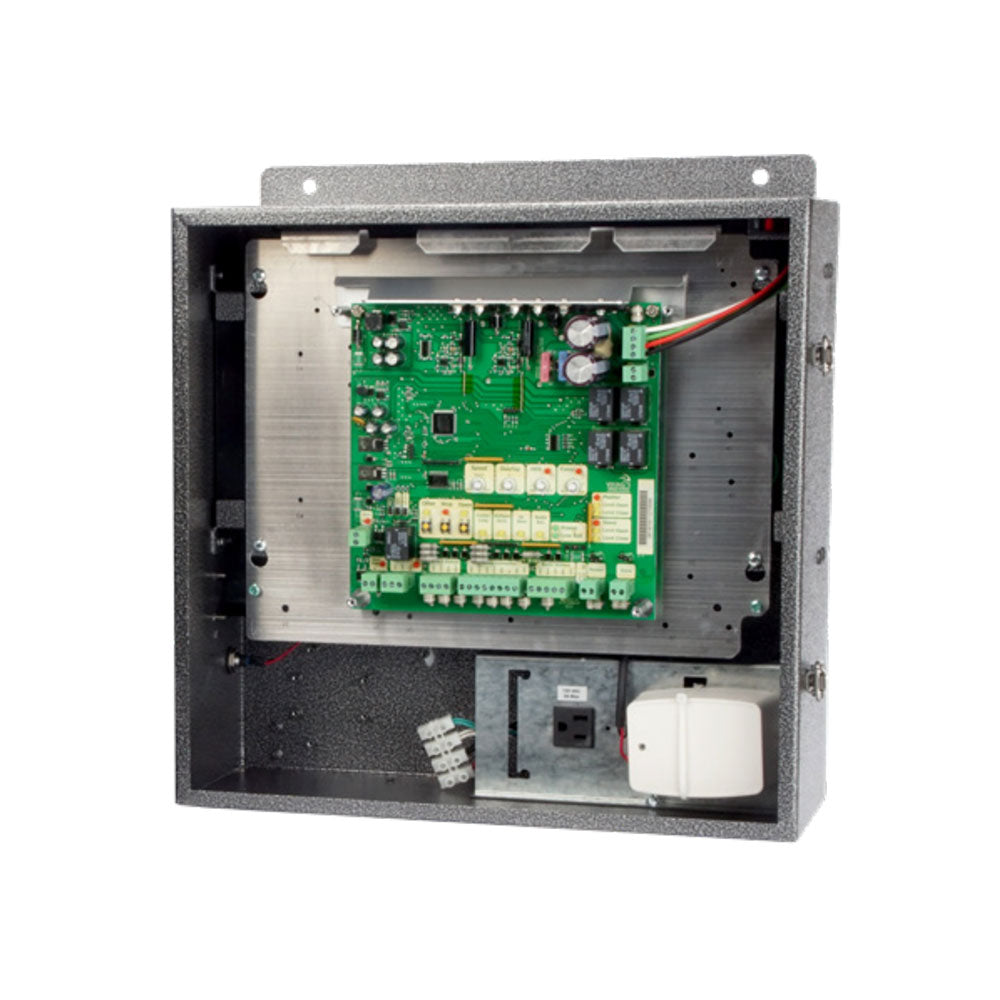
A door controller. The brain that decides who gets in, per door.
-
A reader at each entry. Fob, card, mobile, or keypad — whatever credential you chose.
-
Credentials for members. Fobs and cards to issue, or mobile access if you go app-based.
-
An electric lock or strike. What the controller actually releases. See ASE’s locks and hardware.
-
A turnstile or controlled entry for unstaffed hours, if you’re running true 24/7.
Mapping this across more than one or two doors gets easier with a plan — our guide to planning a multi-door access control system walks through counting doors and sizing the controllers before you buy.
What it costs
Two buckets: the hardware you own and the software you subscribe to.
On the hardware side, access control generally runs about $500 to $1,200 per door for a keypad or card setup, and more if you add biometrics or turnstiles. On top of that, most gym-management or access platforms charge a monthly fee — per location or per member — for the software that handles billing sync and remote management.
The math that matters is per door and per member, not per square foot. Count your entries, pick your credential, and you’ll have a real number instead of a vague quote. You can price the readers, keypads, and credentials in ASE’s access control collection and build from there.
Frequently asked questions
What is a gym access control system?
It’s the hardware and software that manages who can enter your gym and when. Members use a credential — a key fob, card, PIN, or phone — at a reader on the door, and the system checks their membership status before unlocking, logging every entry along the way.
How does 24/7 gym access control work?
Each member gets a credential tied to their account. When they scan it, the system confirms their membership is active and their payments are current, then releases the door — all without staff on site. Entries are logged, and features like tailgating detection keep unauthorized people from slipping in.
What’s the best entry method for a gym?
Key fobs and RFID cards are the most common because they’re cheap, easy to issue, and simple to revoke. Mobile credentials (phone or QR code) cut down on physical cards, and biometrics stop credential-sharing. Many gyms combine fobs with a mobile option.
Can access control block members who haven’t paid?
Yes. When the access hardware syncs with your membership or billing software, an expired plan or a failed payment automatically stops working at the door — no manual list, no confrontation at the front desk.
Do 24/7 gyms need turnstiles?
Not always, but they’re the most reliable way to stop tailgating in an unstaffed gym, since they only let one person through per valid scan. Smaller studios often rely on a single controlled door plus anti-passback and entry logging instead.
Access that runs while you sleep
A gym access control system is what lets a fitness business sell something it can’t physically staff around the clock: the door itself. Done right, it opens for the members who’ve paid, closes to everyone else, and keeps a record you can trust.
Pick a credential that fits your members, close the tailgating gap at the physical entry, and choose hardware that speaks open standards so it works with whatever membership software you run today or switch to next year. Get those three right, and the front desk stops being something you have to staff — and starts being something the hardware handles on its own.